Audio-Guru / Free tools
Free plugins.
A place to start.
Find a sound, solve a small problem, or try something new. These free instruments, effects and Max for Live devices link straight to their developers.
53 entries · Official pages checked October 1, 2026 to October 10, 2026 · No paid demos · Downloads stay with the creators
Max for Live is different. The 4 devices marked Max for Live need Ableton Live Suite or Live Standard with the Max for Live add-on. The device is free; that host software is not.
53 tools shown
Reverb / Plugin
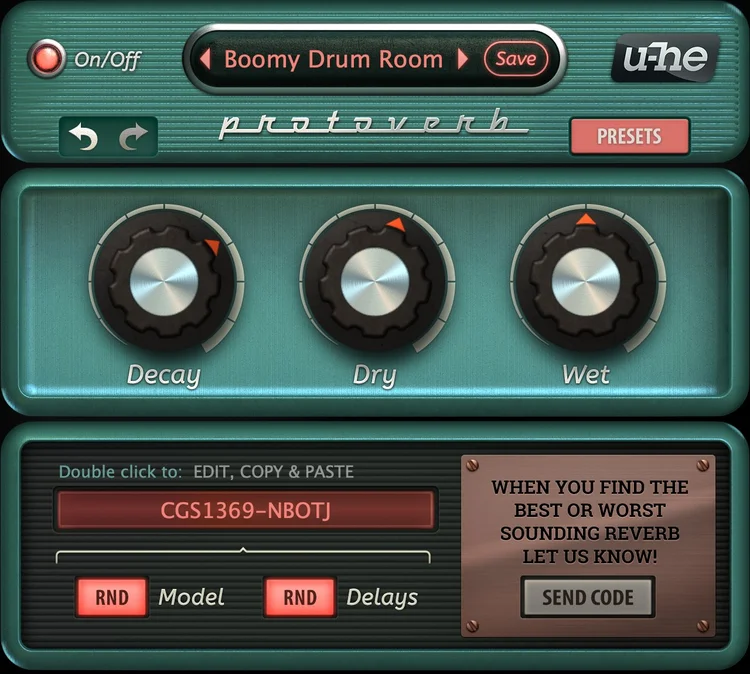
Protoverb
An experimental room reverb for giving dry instruments a shared acoustic space. Its network of delays builds room resonances rather than smoothing them away.
Developer focus: u-he emphasizes natural room behavior: sustained notes build resonance, separate instruments can remain distinct, and short melodies can leave a ghost-like echo. The randomized rooms make exploration part of the process.
Try this: Add a little to a dry drum loop. Compare a few rooms and keep the one that leaves the hits clear.
Compatibility & free terms
Formats: VST3; AU on Mac; AAX on Windows
Compatible plugin host required. Linux build is beta with community support.
Free terms: Free full plugin. No serial number.
Official listing checked October 1, 2026. Not a hands-on review.
Synths / Plugin
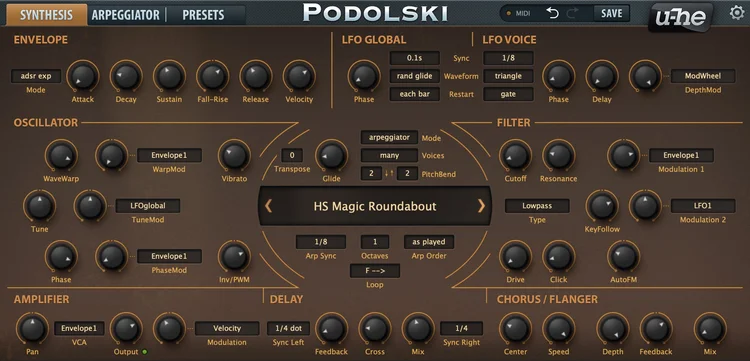
Podolski
A compact virtual-analog synth for bass lines, leads and repeating patterns. One oscillator, a filter and a built-in arpeggiator keep the main sound-shaping decisions approachable.
Developer focus: u-he presents Podolski as straightforward and CPU-efficient. Its distinctive tricks are an emphasized filter attack and smooth movement between waveforms, with chorus and delay to finish the sound.
Try this: Choose a bass preset. Shorten how long notes ring after you release a key so the bass leaves space for the kick.
Compatibility & free terms
Formats: VST3; AU on Mac; AAX on Windows
Compatible plugin host required. Linux build is beta with community support.
Free terms: Free full plugin. No serial number.
Official listing checked October 1, 2026. Not a hands-on review.
Synths / Plugin
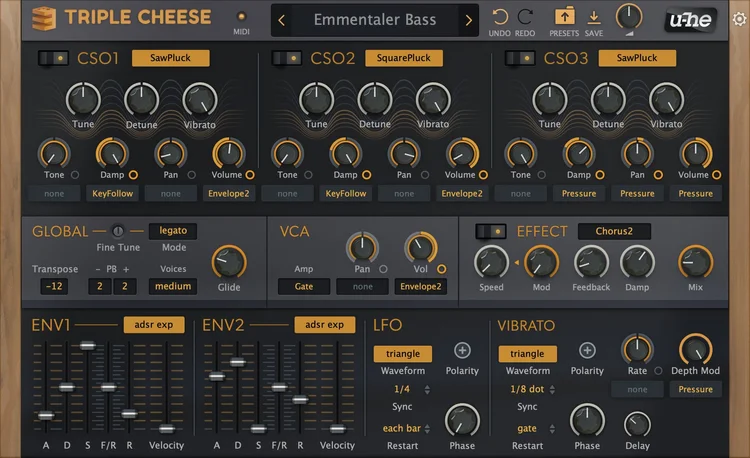
Triple Cheese
A synth for plucked, buzzy and unusually lush digital textures. Three comb-filter modules act like extremely short tuned delays, generating sound or processing the preceding module.
Developer focus: u-he positions Triple Cheese as an alternative to conventional oscillator, FM and analog-filter designs. The developer highlights its retro digital character, lush combinations and delay-based effects for extra movement.
Try this: Play a short plucked phrase. Leave a gap between notes and listen to the character of each tail.
Compatibility & free terms
Formats: VST3; AU on Mac; AAX on Windows
Compatible plugin host required. Linux build is beta with community support.
Free terms: Free full plugin. No serial number.
Official listing checked October 1, 2026. Not a hands-on review.
Synths / Plugin
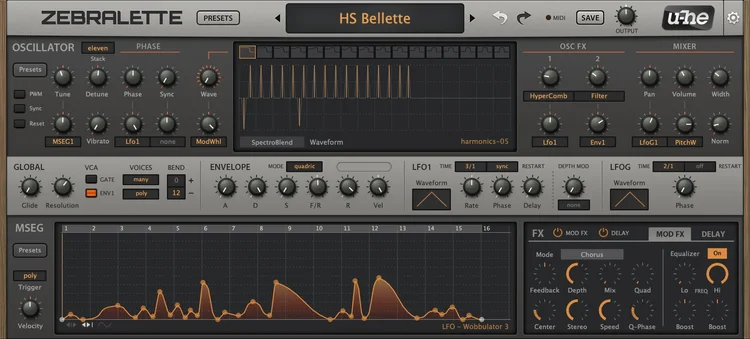
Zebralette (classic)
A spectral synth for learning how waveform shape changes a sound. The classic instrument combines a single Zebra 2 oscillator with modulation, unison and built-in effects.
Developer focus: u-he describes it as both an introduction to Zebra 2 and a capable instrument in its own right. Drawing or morphing through a 16-wave set and applying spectral effects can turn a simple tone into an evolving texture.
Try this: Start with a simple preset and change its waveform. Keep the notes the same to hear what the shape changes.
Compatibility & free terms
Formats: VST3; AU on Mac; CLAP and AAX in supported builds
This entry covers classic Zebralette 2.9.4, not Zebralette 3. Compatible plugin host required.
Free terms: Free full instrument included in the Zebra 2 installer. Paid Zebra is not required.
Official listing checked October 1, 2026. Not a hands-on review.
Synths / Max for Live
Pluck
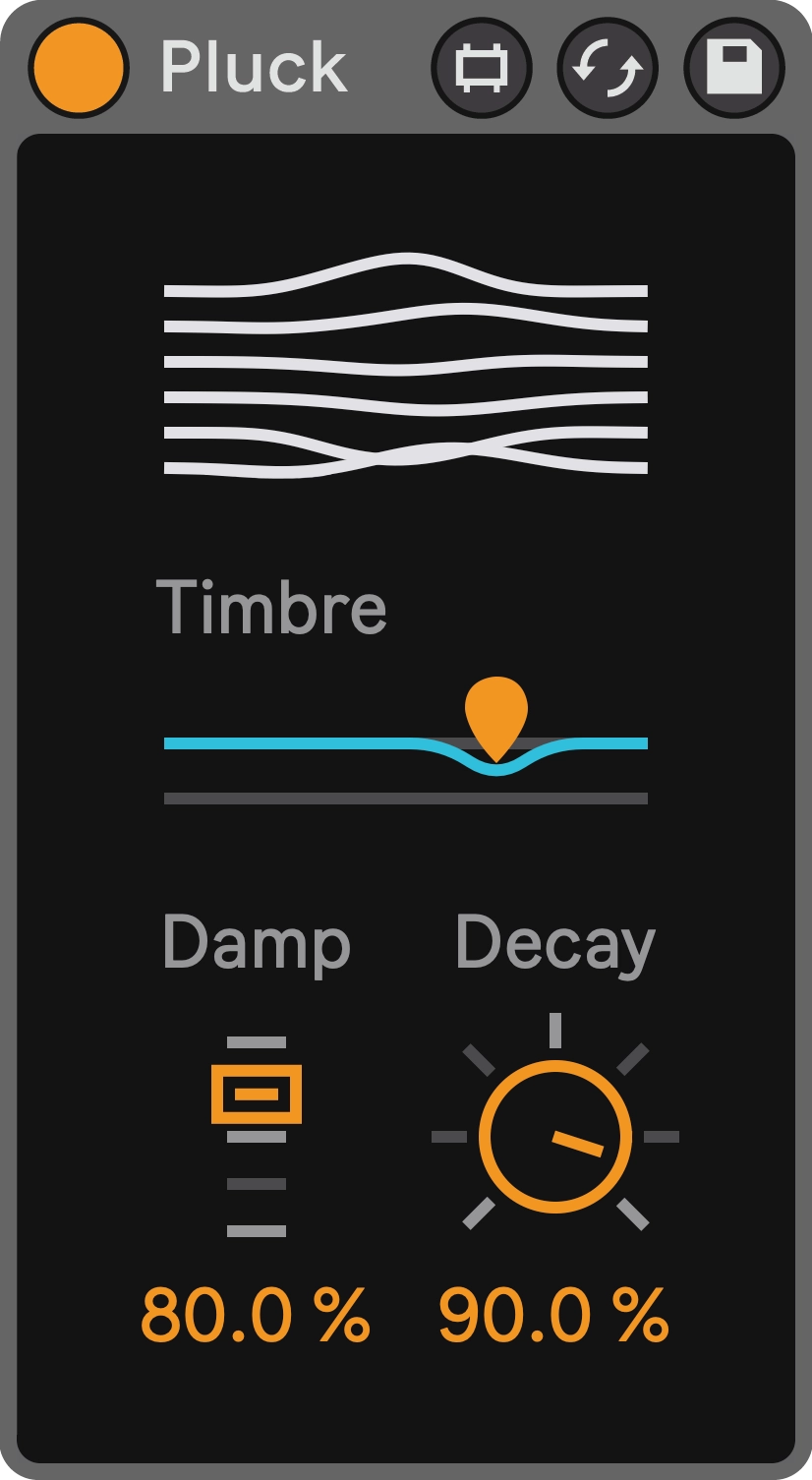
A plucked-string instrument that uses a short, tuned feedback delay to turn an impulse into a ringing note. It can suggest guitar strings or move into more synthetic, metallic textures.
Developer focus: Fors describes Pluck as a Karplus-Strong instrument and a tribute to the six-string guitar. Variable impulse shapes and modern filters extend the range beyond a fixed string sound; this is synthesis rather than an acoustic sample library.
Try this: Write a few short notes, then leave room for them to ring.
Compatibility & free terms
Formats: Max for Live
Ableton Live Suite 10.1+ or Live Standard with the Max for Live add-on. Not a general VST/AU plugin. Developer recommends Live 11 or later.
Free terms: Free device. Ableton Live and Max for Live are separate paid requirements.
Official listing checked October 1, 2026. Not a hands-on review.
Synths / Max for Live
Lode
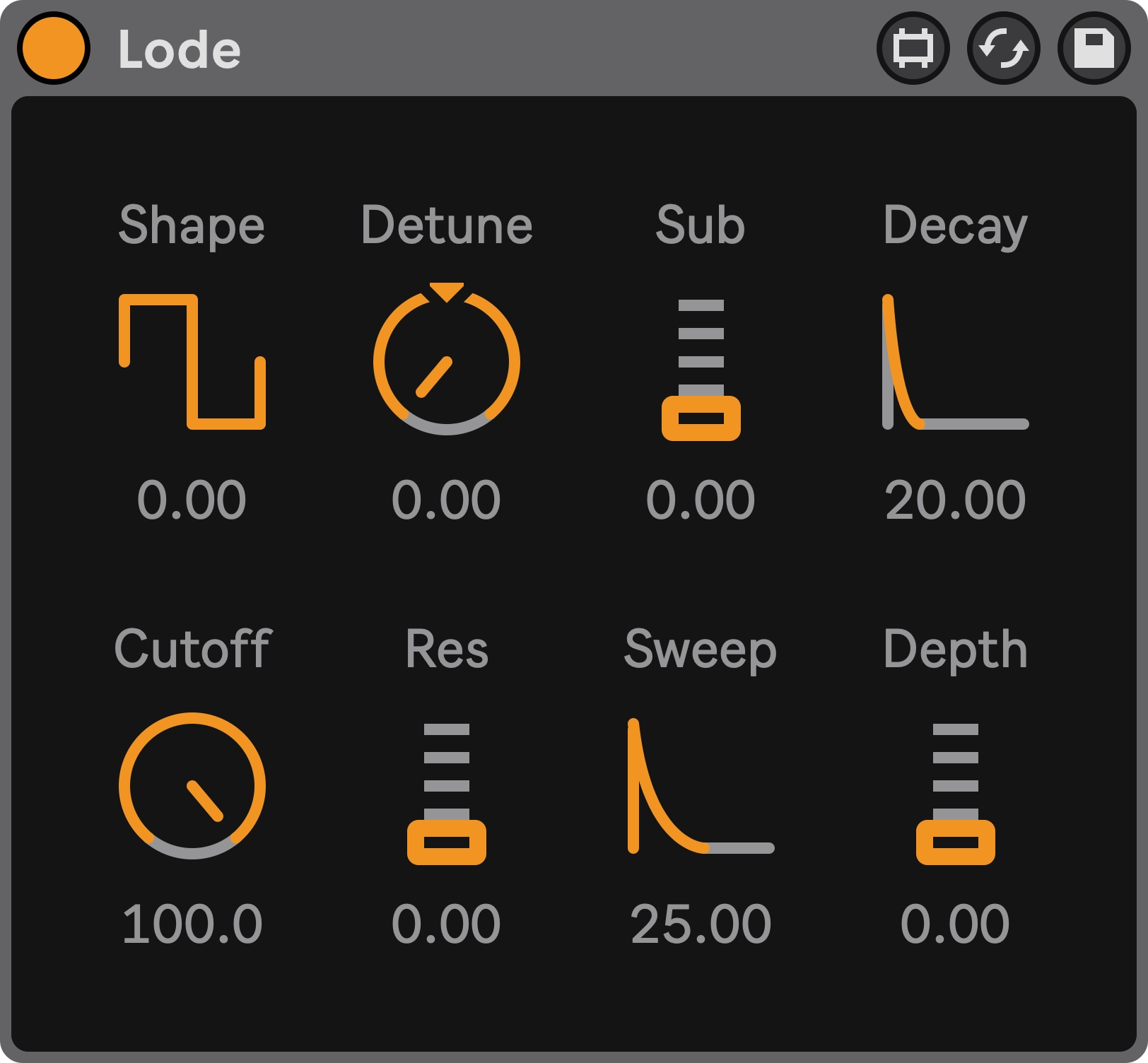
A focused monophonic bass synth with eight main controls. Its oscillator, low-pass filter and envelope are designed for shaping a bass quickly, with legato slide connecting notes.
Developer focus: Fors emphasizes a deliberately small, carefully tuned control set inspired by vintage instruments. Push integration, filter sweeps and expressive pitch control support playing and refining a line without a large programming interface.
Try this: Write a one-note-at-a-time bass line. Try connecting two notes to hear its legato slide.
Compatibility & free terms
Formats: Max for Live
Ableton Live Suite 10.1+ or Live Standard with the Max for Live add-on. Not a general VST/AU plugin. Developer recommends Live 11 or later.
Free terms: Free device. Source code is available.
Official listing checked October 1, 2026. Not a hands-on review.
Delay / Max for Live
Retur
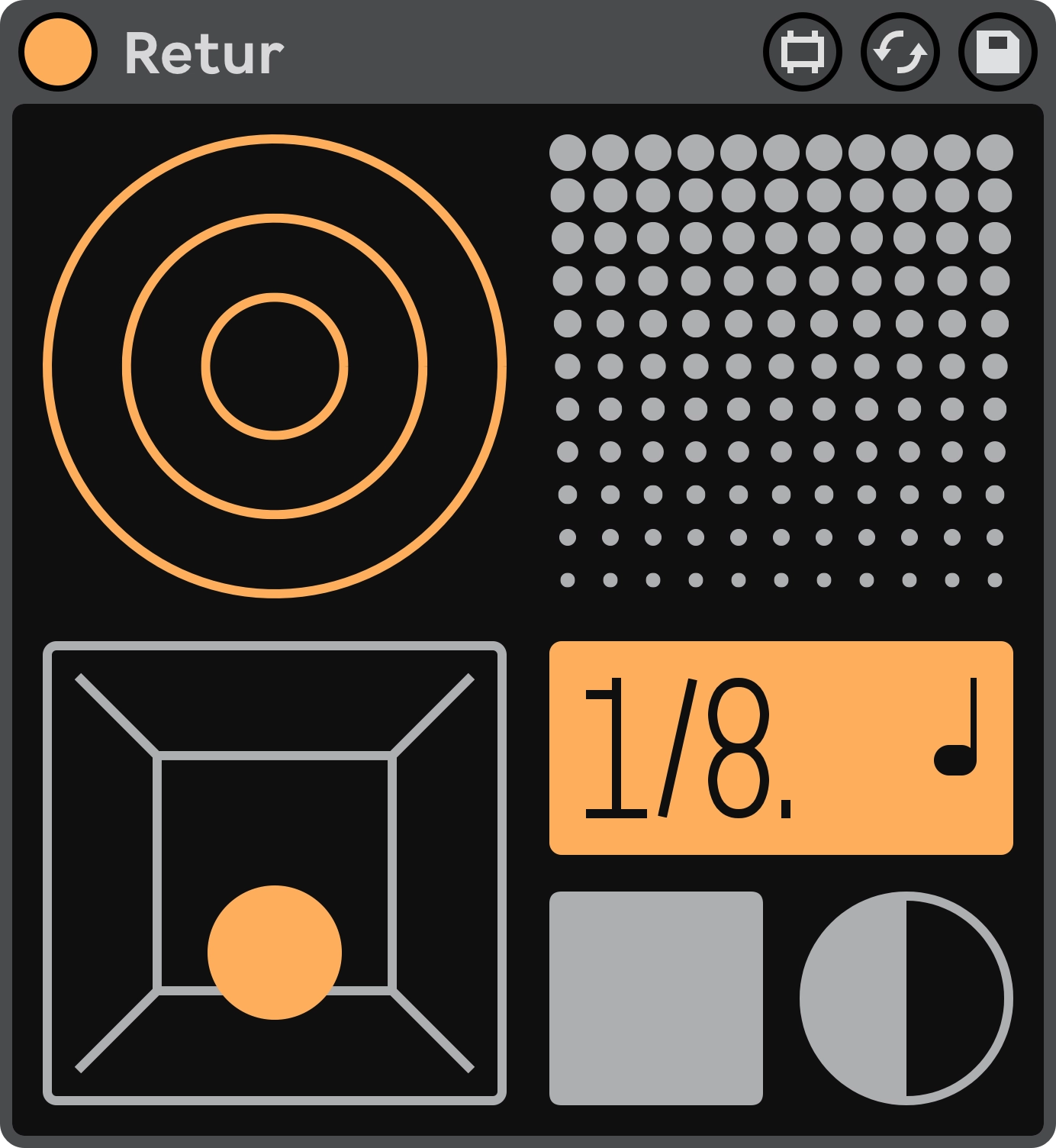
A character delay for echo trails that get rougher and more animated as they repeat. Feedback filtering and stereo flanging offer ways to color the space around a phrase.
Developer focus: Fors built Retur around the grungy distortion and small artifacts associated with delay pedals. Its focus is expressive feedback and character, so choose it when those changes are part of the music rather than expecting pristine repeats.
Try this: Put a few repeats on the last hit of a phrase, leaving the next phrase clear.
Compatibility & free terms
Formats: Max for Live
Ableton Live Suite 10.1+ or Live Standard with the Max for Live add-on. Not a general VST/AU plugin. Developer recommends Live 11 or later.
Free terms: Free device. Ableton Live and Max for Live are separate paid requirements.
Official listing checked October 1, 2026. Not a hands-on review.
Reverb / Max for Live
Romb
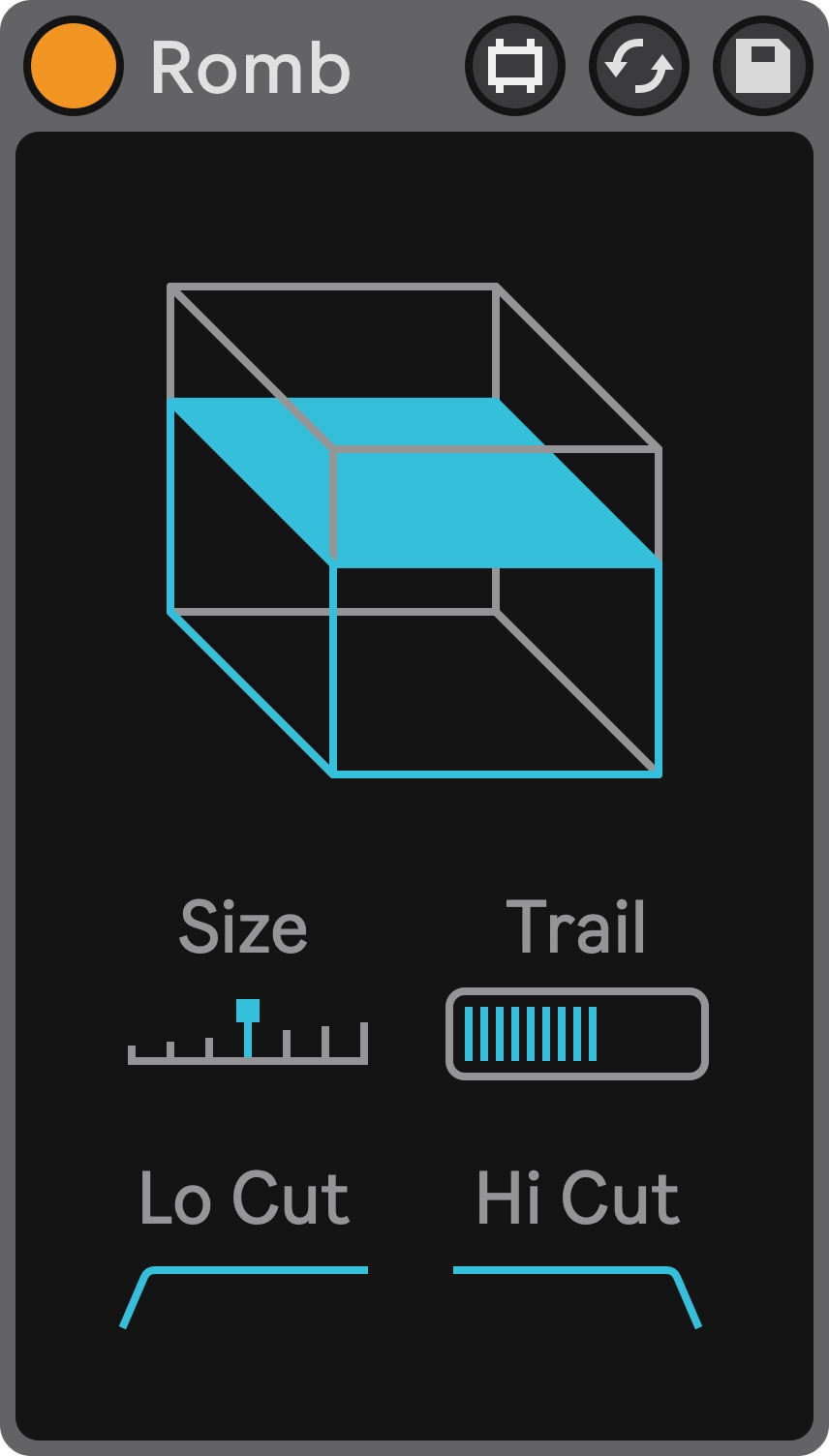
A spacious reverb for blending synths into a smooth ambient background. Longer tails can soften the boundary between separate notes and turn short phrases into a continuous bed.
Developer focus: Fors describes Romb as inspired by late-1990s leftfield electronic music and especially suited to synthesizers. The developer prioritizes large, smooth spaces; blurring definition is part of its character.
Try this: Try it quietly behind a short melody. Reduce the blend if notes become hard to separate.
Compatibility & free terms
Formats: Max for Live
Ableton Live Suite 10.1+ or Live Standard with the Max for Live add-on. Not a general VST/AU plugin. Developer recommends Live 11 or later.
Free terms: Free device. Ableton Live and Max for Live are separate paid requirements.
Official listing checked October 1, 2026. Not a hands-on review.
Reverb / Plugin
Sala
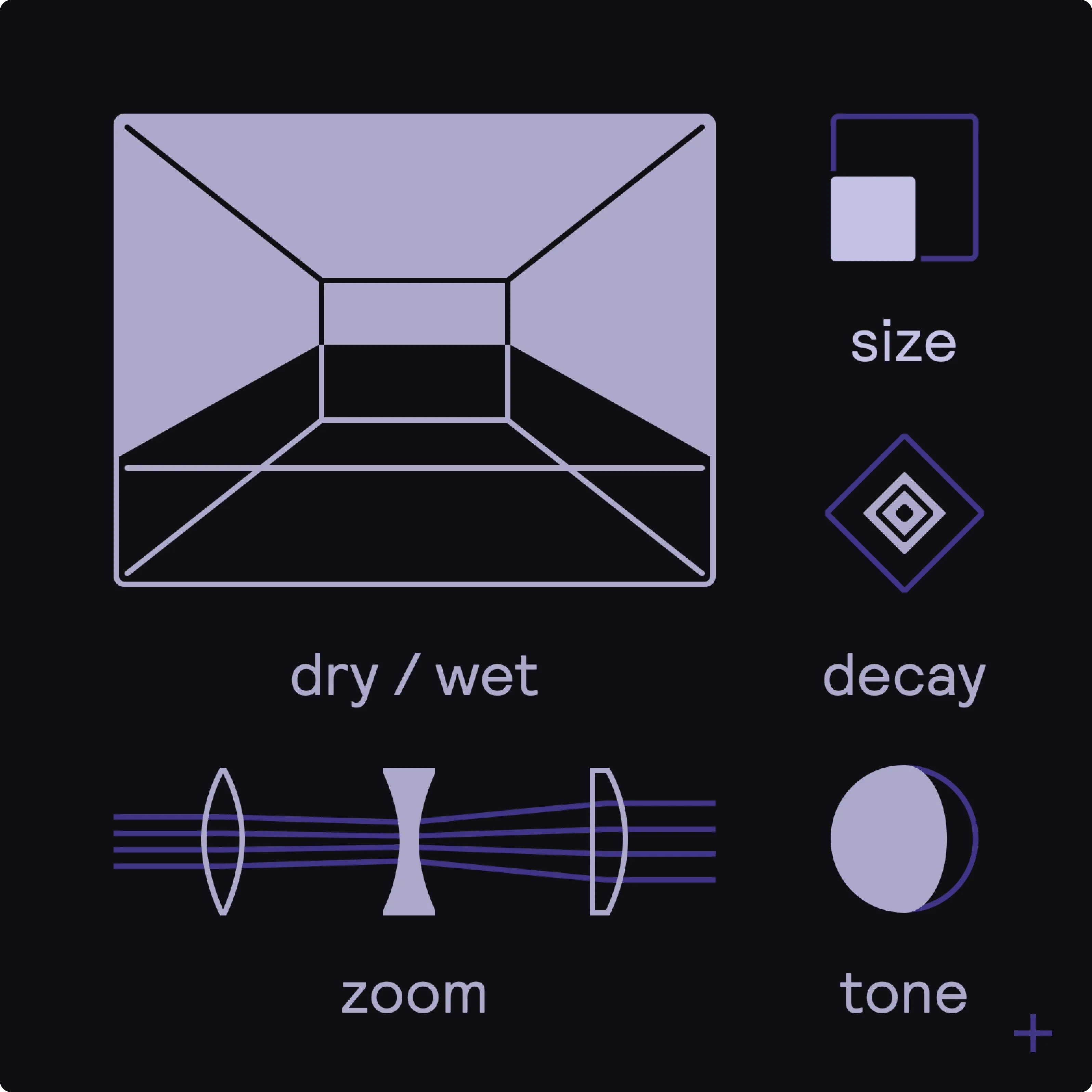
A modulated reverb with five main controls for deep ambient spaces. Its diffusion control moves a sound from a more focused presence toward a blurred wash.
Developer focus: Fors presents Sala as a deliberately unreal-sounding ambient reverb. Pre-diffusion and modulation are intended to make expansive, living spaces rather than reproduce a specific physical room.
Try this: Compare a dry percussion hit with a small amount of reverb, then listen to the tail in the gaps.
Compatibility & free terms
Formats: CLAP, VST3; AU on Mac
Windows 10+ x86; macOS 10.13+ Intel or Apple Silicon; Linux Ubuntu 22+ x86. Plugin host required.
Free terms: Free plugin. Follow the developer’s download or checkout steps.
Official listing checked October 1, 2026. Not a hands-on review.
Saturation / Plugin
ChowTapeModel
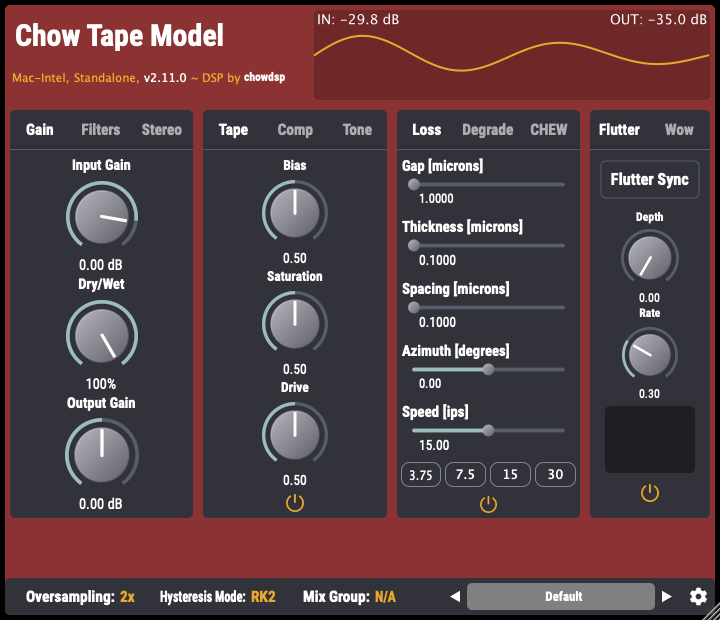
A tape-machine model for saturation, tonal change and worn recording texture. It can be used gently on a bus or pushed for a more obvious effect.
Developer focus: ChowDSP began with physical modeling of a Sony TC-260 and extended the model to several tape machines. The developer focuses on the behavior of the recording process, giving you more than a generic drive control.
Try this: Add a little drive to a drum bus. Match the output loudness before deciding whether it helps.
Compatibility & free terms
Formats: VST, VST3, AU, AAX, CLAP, LV2; standalone build
Check the selected installer and host format on the official download page. Desktop downloads are covered here; mobile store terms may differ.
Free terms: Free open-source desktop plugin (GPL-3.0).
Official listing checked October 1, 2026. Not a hands-on review.
Distortion / Plugin
BYOD
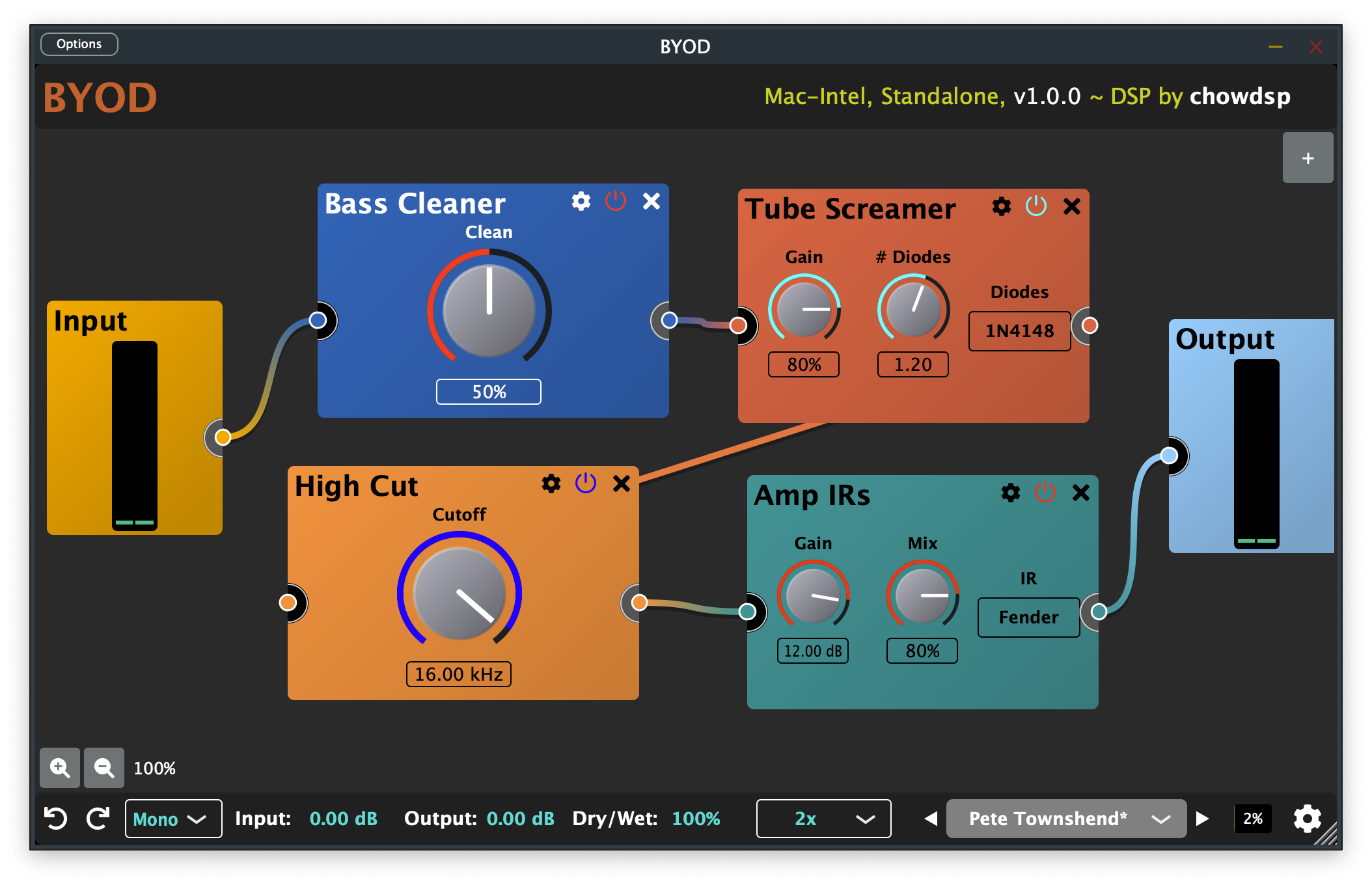
Build a guitar-oriented distortion chain by connecting different processing blocks. Start with a familiar overdrive, then add filtering or other effects to create a custom signal path.
Developer focus: ChowDSP emphasizes flexible combinations of guitar distortion and tone circuits. The free base is the working plugin; optional paid packs extend it, so the directory does not treat those extras as part of the free download.
Try this: Begin with one distortion block. Add another effect only when you can hear what it contributes.
Compatibility & free terms
Formats: VST3, AU, CLAP, AAX, LV2; standalone build
Check the selected installer and host format on the official download page. Desktop downloads are covered here; mobile store terms may differ.
Free terms: Free open-source base plugin (GPL-3.0). Optional add-on packs can cost money.
Official listing checked October 1, 2026. Not a hands-on review.
Drums / Plugin
ChowKick
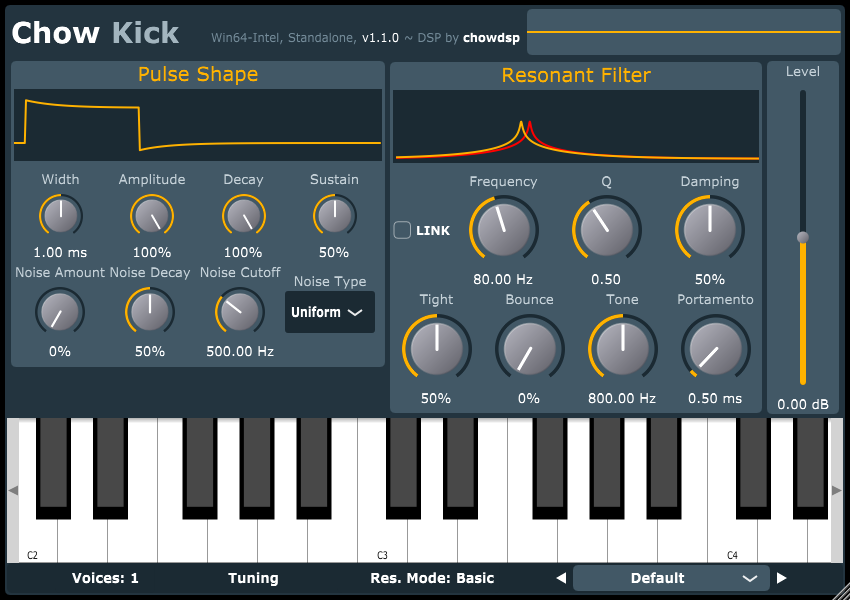
A MIDI-triggered kick synthesizer for shaping a drum at its source. Tune the pitch, length and attack instead of searching through a folder of kick samples.
Developer focus: ChowDSP models circuits used in older analog drum machines. A pulse shaper and resonant filter with nonlinear modes provide the core sound, while MIDI-note tuning helps the drum fit a musical part.
Try this: Program a simple kick pattern and adjust its decay until it fits between your bass notes.
Compatibility & free terms
Formats: See platform installer for available formats
Check the selected installer and host format on the official download page. Desktop downloads are covered here; mobile store terms may differ. Send it MIDI notes to trigger the kick.
Free terms: Free open-source desktop plugin (BSD-3-Clause).
Official listing checked October 1, 2026. Not a hands-on review.
Delay / Plugin
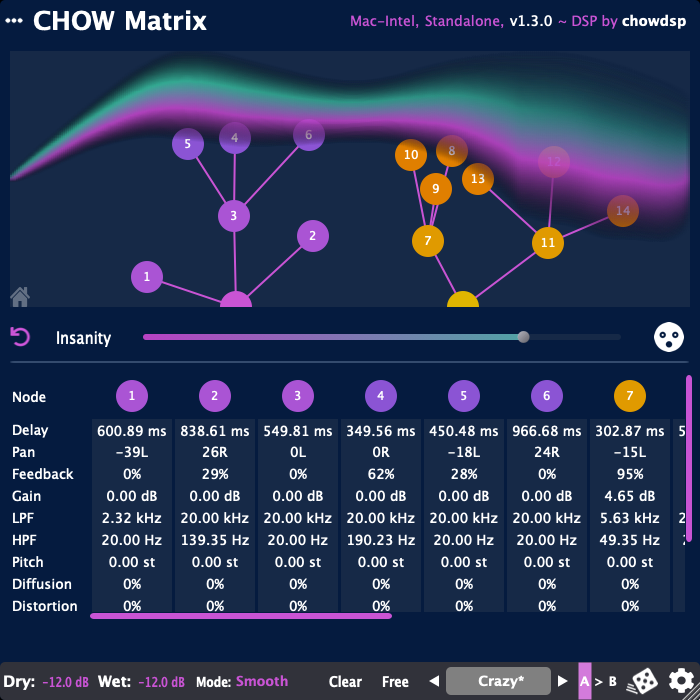
ChowMatrix
A delay network for building several related echoes with different timing and stereo positions. Each line can develop its own pitch, diffusion or distortion character.
Developer focus: ChowDSP emphasizes an expandable network of delay lines, with modulation and feedback for anything from dub-like repeats to diffuse ambience. It is useful when one conventional echo does not provide enough movement.
Try this: Start with one delay line, then add a second at a different pan position.
Compatibility & free terms
Formats: VST, VST3, AU, AAX, LV2; standalone build
Check the selected installer and host format on the official download page. Desktop downloads are covered here; mobile store terms may differ.
Free terms: Free open-source desktop plugin (BSD-3-Clause).
Official listing checked October 1, 2026. Not a hands-on review.
Distortion / Plugin
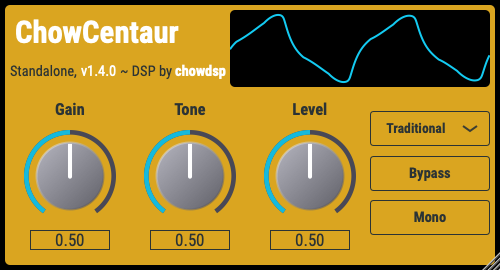
ChowCentaur
An overdrive pedal model for adding grit to guitar or another instrument. Use it as one stage of a chain, often before an amp and speaker simulator.
Developer focus: ChowDSP explores the Klon Centaur through both traditional circuit modeling and a neural model of its gain stage. The focus is the pedal’s overdrive behavior, not a complete guitar amp simulation.
Try this: Place it before your amp simulator and compare gentle drive with a cleaner sound.
Compatibility & free terms
Formats: VST, AU, LV2; standalone build
Check the selected installer and host format on the official download page. Desktop downloads are covered here; mobile store terms may differ. This is an overdrive effect, not a complete amp and speaker simulator.
Free terms: Free open-source desktop plugin (BSD-3-Clause).
Official listing checked October 1, 2026. Not a hands-on review.
Modulation / Plugin
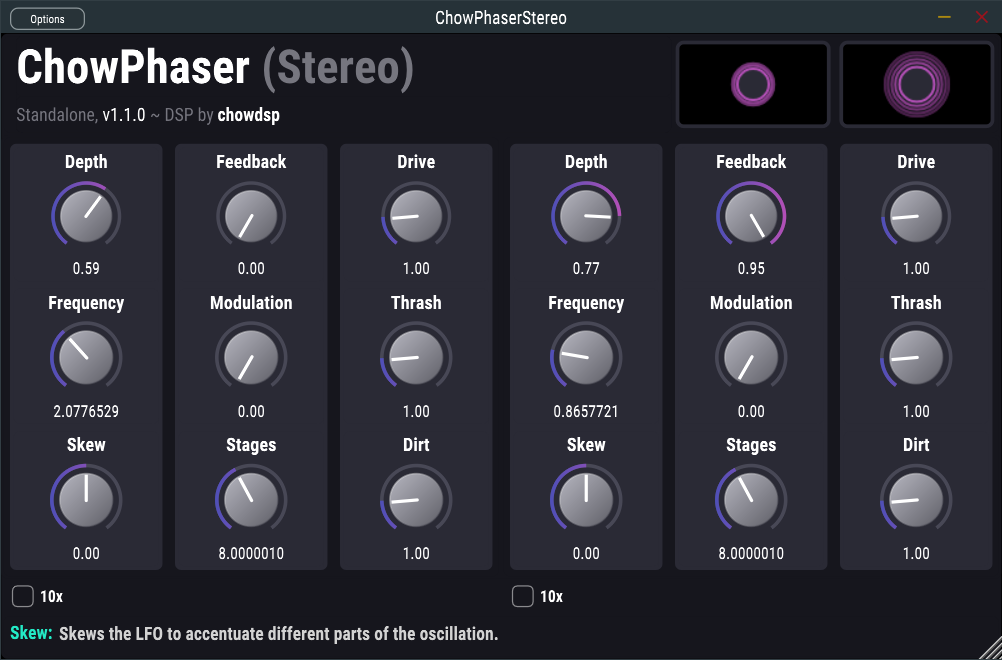
ChowPhaser
A phaser for a moving, sweeping change in tone. Separate mono and stereo versions let you choose whether stereo information should be preserved.
Developer focus: ChowDSP takes inspiration from the Schulte Compact Phasing A, including its skewed modulation and light-dependent resistor behavior. The nonlinear filter modeling is intended to bring warmth and dirt as well as a clean sweep.
Try this: Try the stereo version on a sustained guitar part and keep the blend low enough to preserve the original.
Compatibility & free terms
Formats: See platform installer for available formats
Check the selected installer and host format on the official download page. Desktop downloads are covered here; mobile store terms may differ. The mono version sums a stereo input to mono. Choose the stereo version when you want to preserve stereo.
Free terms: Free open-source desktop plugin (BSD-3-Clause).
Official listing checked October 1, 2026. Not a hands-on review.
Utility / Plugin
ChowMultiTool
A collection of EQ, waveshaping, band-splitting and filtering tools. It can handle a small corrective task or become part of a more elaborate sound-design chain.
Developer focus: ChowDSP highlights drawable EQ and waveshaping, linear-phase options and a band splitter designed for reconstruction across outputs. The state-variable filter can use note-aware modulation in supported CLAP hosts.
Try this: Start with the EQ. Make one small change and compare it with bypass before exploring the other tools.
Compatibility & free terms
Formats: See platform installer; filter modulation requires CLAP
Check the selected installer and host format on the official download page. Desktop downloads are covered here; mobile store terms may differ. Filter modulation is a CLAP-specific feature.
Free terms: Free open-source desktop plugin (GPL-3.0).
Official listing checked October 1, 2026. Not a hands-on review.
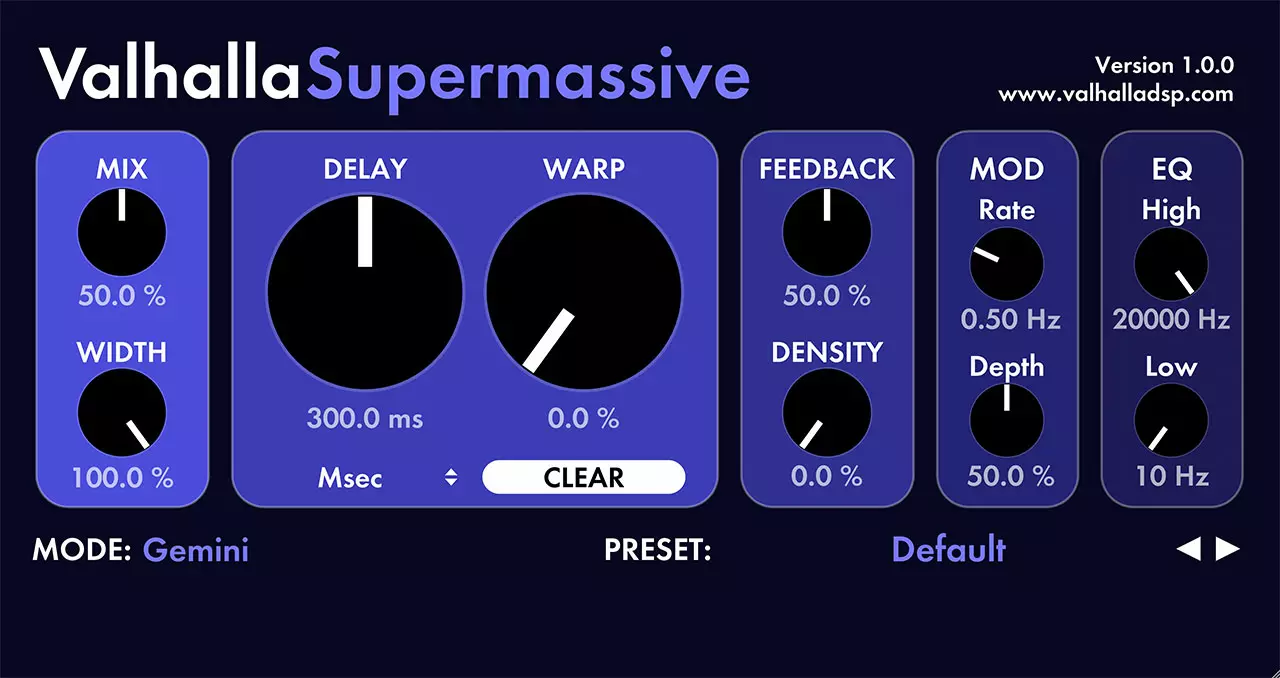
Reverb / Plugin
Supermassive
A reverb and delay for very large spaces, slow-building echoes and evolving clouds around a sound. Different modes change how quickly the tail appears and how dense it becomes.
Developer focus: Valhalla DSP prioritizes enormous reverbs, ethereal echoes and harmonic feedback textures. Its modes cover quite different behaviors, so selecting a mode is a meaningful musical choice before changing the other controls.
Try this: Use a small amount behind a short melody. Stop playback and listen to how long the tail lasts.
Compatibility & free terms
Formats: See current Mac or Windows installer
Compatible host required. Choose a mode before adjusting its sound.
Free terms: Free full plugin, separate from Valhalla’s paid-product demos.
Official listing checked October 1, 2026. Not a hands-on review.
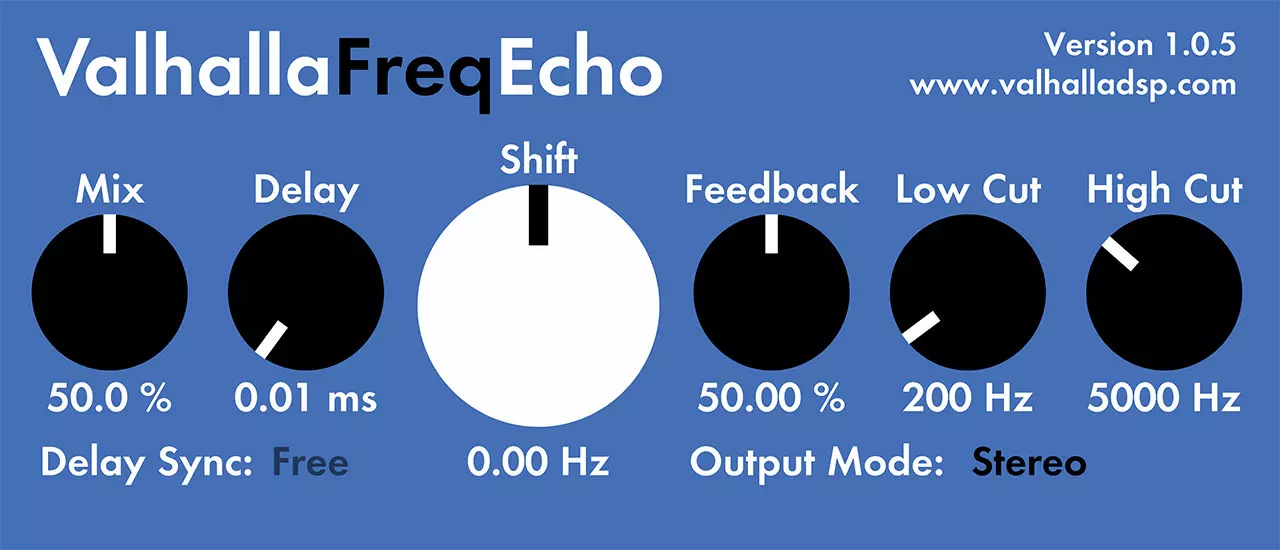
Delay / Plugin
FreqEcho
Combine an echo with frequency shifting for repeats that continually change tone. It ranges from subtle doubling to strange, sliding trails and psychedelic dub textures.
Developer focus: Valhalla DSP combines a Bode-style frequency shifter with analog-inspired echo. The developer highlights barber-pole effects, phasing and flanging, as well as evolving glissando-like repeats when feedback is increased.
Try this: Try it on one percussion hit. Keep the feedback low while learning how the repeats change.
Compatibility & free terms
Formats: 64-bit VST2, VST3, AAX; AU on Mac
Windows 7+; macOS 10.9+ with Intel or Apple Silicon builds. Compatible host required.
Free terms: Free full plugin, separate from Valhalla’s paid-product demos.
Official listing checked October 1, 2026. Not a hands-on review.
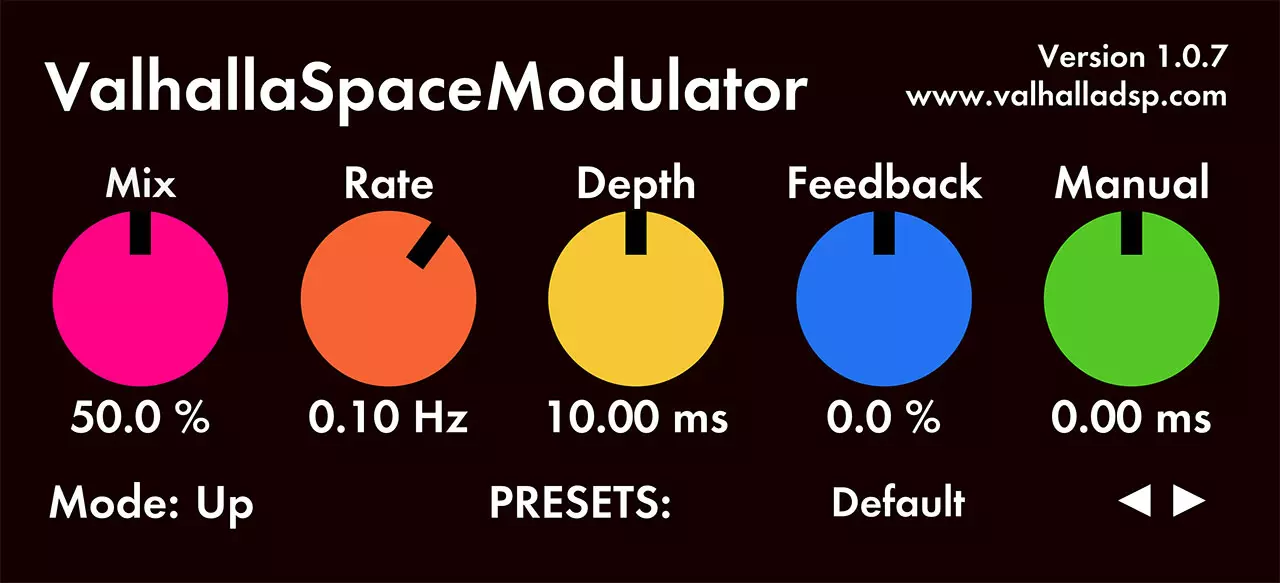
Modulation / Plugin
SpaceModulator
A modulation effect for detuning, doubling and moving stereo textures. Its algorithms include through-zero and continuously sweeping flanging, with some modes reaching unusual echo or reverb territory.
Developer focus: Valhalla DSP emphasizes the range of its eleven modulation algorithms. It is designed for both familiar widening effects and more unusual space manipulation, rather than just one standard chorus sound.
Try this: Compare a subtle doubling preset with bypass on a single guitar track. Check that it still works in mono.
Compatibility & free terms
Formats: 64-bit VST2, VST3, AAX; AU on Mac
Windows 7+; macOS 10.9+ with Intel or Apple Silicon builds. Compatible host required.
Free terms: Free full plugin, separate from Valhalla’s paid-product demos.
Official listing checked October 1, 2026. Not a hands-on review.
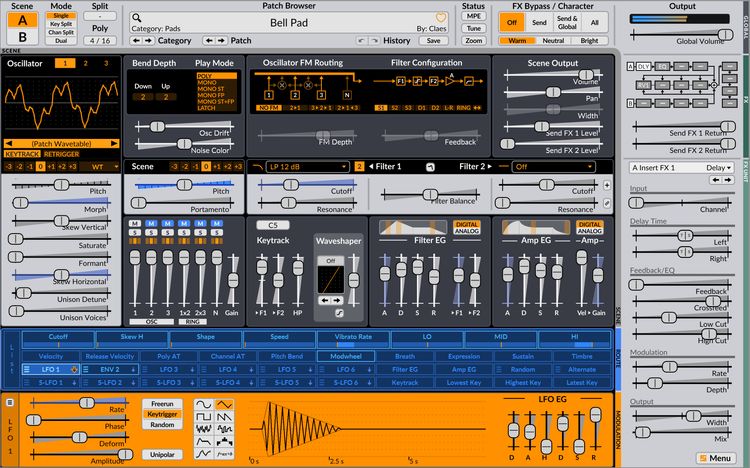
Surge Synth Team website/manual image. GPL-3.0 image licence · Original image
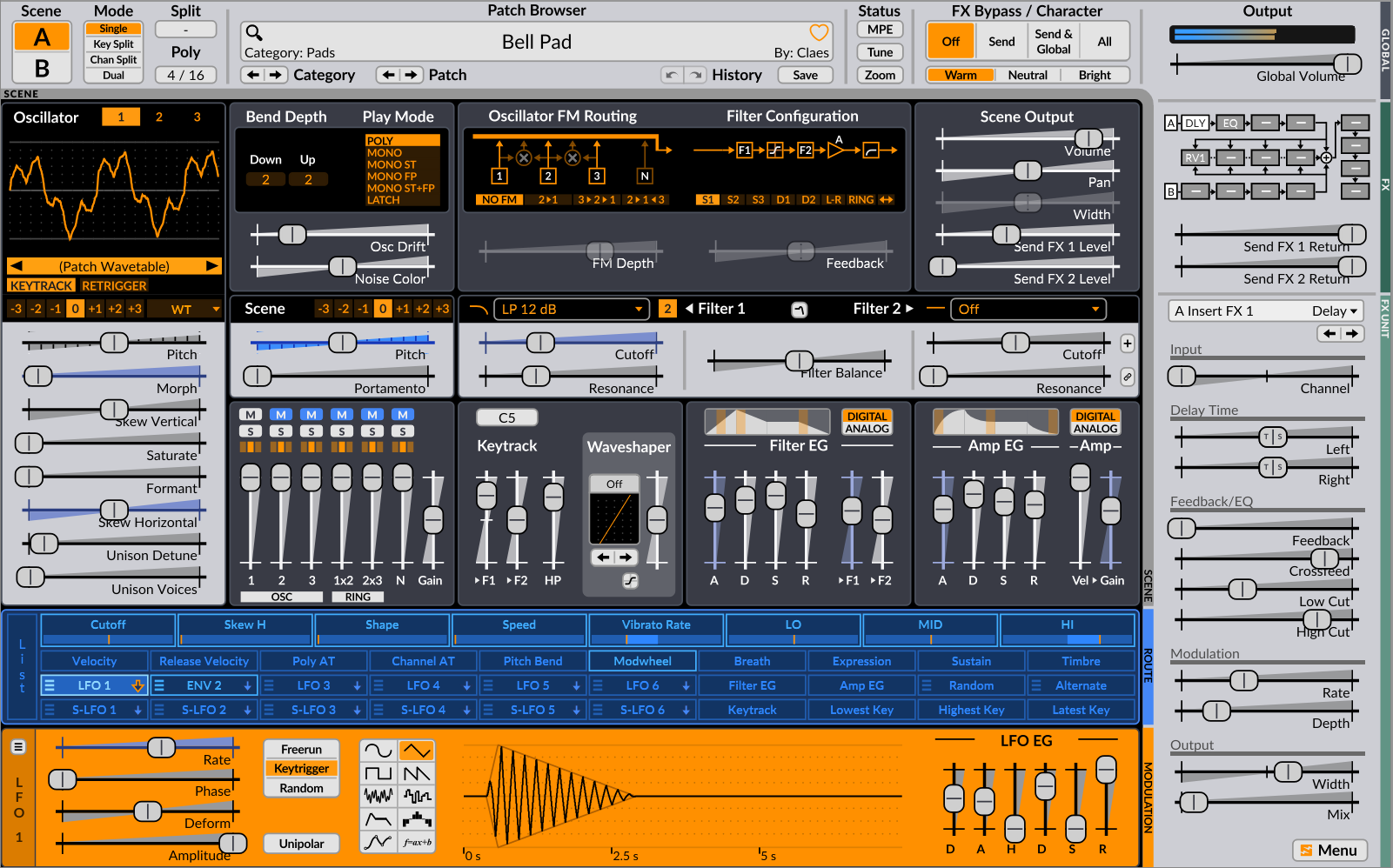
Synths / Plugin
Surge XT
A broad digital synth with several synthesis approaches, flexible modulation and a large preset library. Two scenes can create layered or split sounds within one patch.
Developer focus: The Surge Synth Team positions it as a sound-design instrument, highlighting varied filters and effects alongside MPE, microtuning and Open Sound Control. Presets provide a starting point, while the modulation engine supports more detailed exploration.
Try this: Choose a bass or lead preset. Change one control at a time and listen before moving on.
Compatibility & free terms
Formats: VST3, CLAP; AU on Mac; LV2 on Linux
Stable release 1.3.4 checked. Windows 7+ and 4 GB RAM; macOS 10.11+; see developer’s Linux builds. Compatible host required.
Free terms: Free open-source community project.
Official listing checked October 1, 2026. Not a hands-on review.
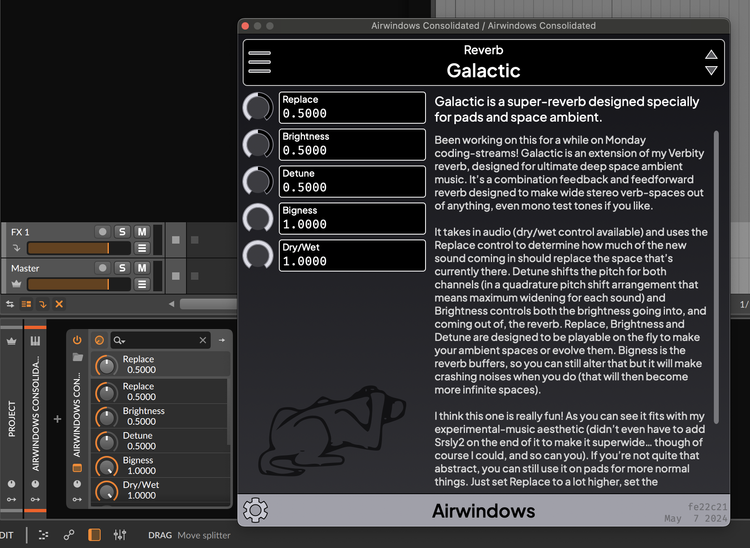
Airwindows documentation copyright 2019-2026 Paul Walker. MIT image licence · Original image
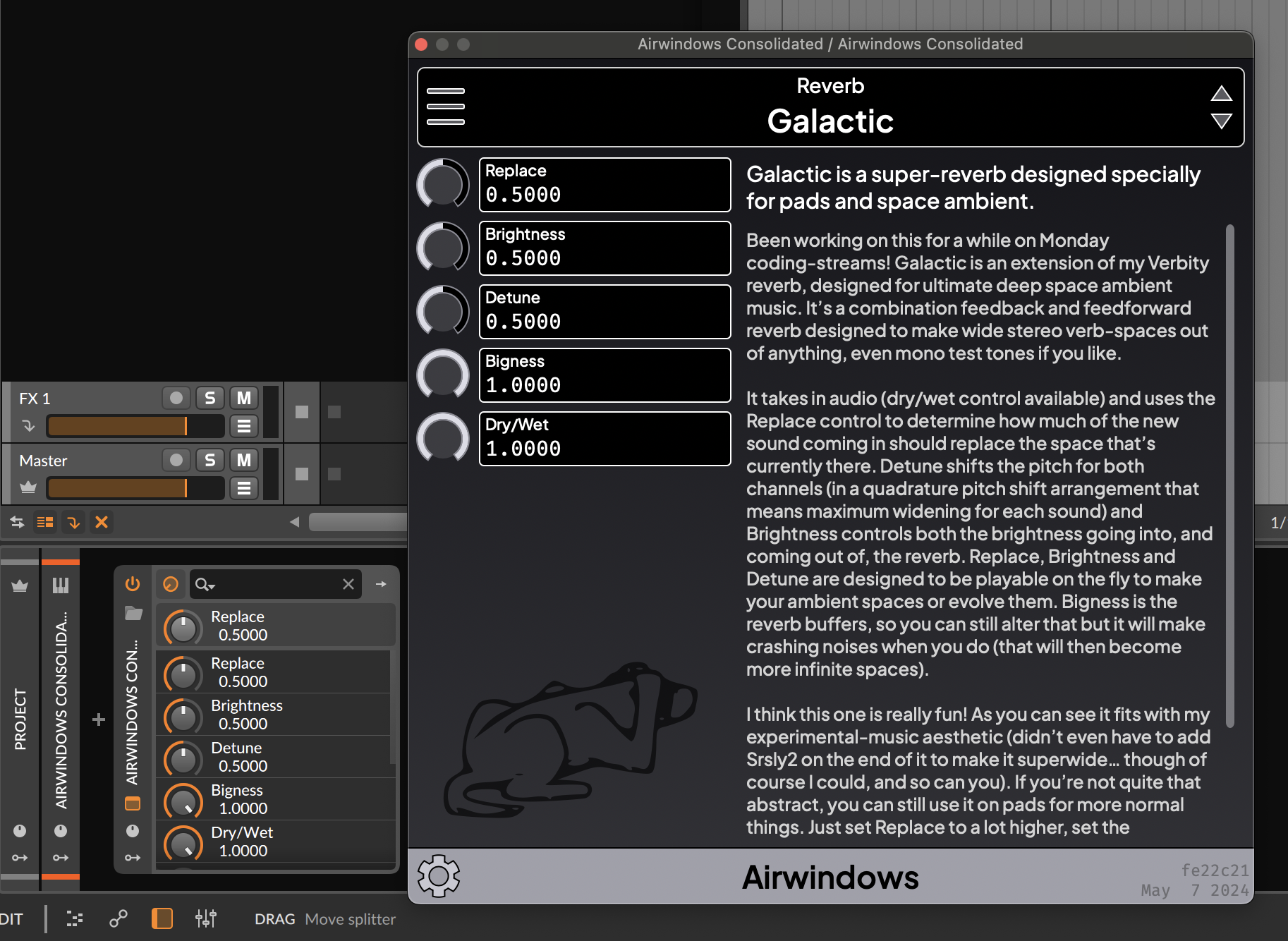
Image permission notice
Copyright 2019-2026, Paul Walker Permission is hereby granted, free of charge, to any person obtaining a copy of this software and associated documentation files (the "Software"), to deal in the Software without restriction, including without limitation the rights to use, copy, modify, merge, publish, distribute, sublicense, and/or sell copies of the Software, and to permit persons to whom the Software is furnished to do so, subject to the following conditions: The above copyright notice and this permission notice shall be included in all copies or substantial portions of the Software. THE SOFTWARE IS PROVIDED "AS IS", WITHOUT WARRANTY OF ANY KIND, EXPRESS OR IMPLIED, INCLUDING BUT NOT LIMITED TO THE WARRANTIES OF MERCHANTABILITY, FITNESS FOR A PARTICULAR PURPOSE AND NONINFRINGEMENT. IN NO EVENT SHALL THE AUTHORS OR COPYRIGHT HOLDERS BE LIABLE FOR ANY CLAIM, DAMAGES OR OTHER LIABILITY, WHETHER IN AN ACTION OF CONTRACT, TORT OR OTHERWISE, ARISING FROM, OUT OF OR IN CONNECTION WITH THE SOFTWARE OR THE USE OR OTHER DEALINGS IN THE SOFTWARE.
Utility / Plugin
Airwindows Consolidated
Browse a large collection of Airwindows effects inside one plugin. It brings many specialized processors into a common interface instead of requiring a separate plugin window for every experiment.
Developer focus: The Consolidated project focuses on presenting Airwindows processing in a unified DAW plugin, alongside separate library and VCV Rack versions. Choose the DAWPlugin download for ordinary plugin-host use.
Try this: Choose one saturation effect for a drum loop. Compare at the same loudness instead of adding several at once.
Compatibility & free terms
Formats: CLAP, VST3, AU, LV2; standalone build
Choose the current Mac, Windows or Linux build. Use the DAWPlugin release rather than the VCV Rack module.
Free terms: Free open-source collection. Supporting Airwindows through Patreon is optional.
Official listing checked October 1, 2026. Not a hands-on review.
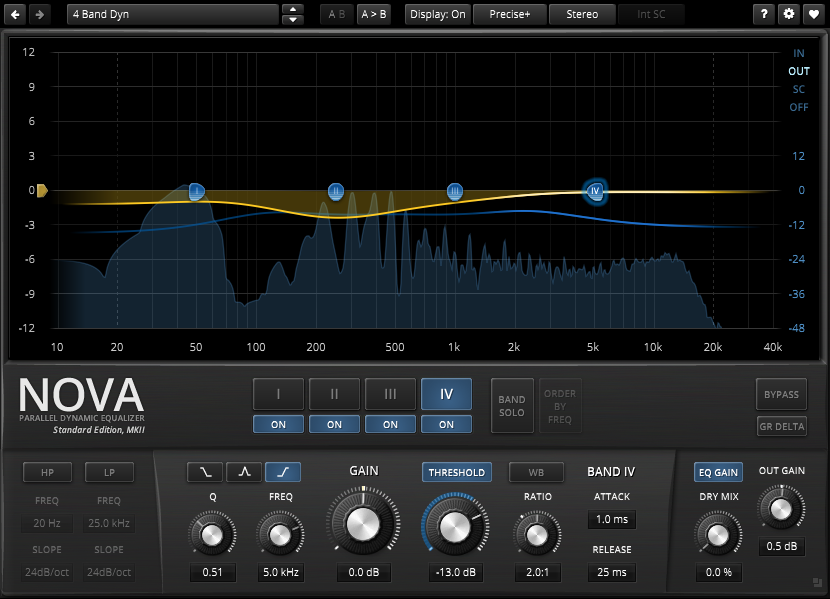
EQ & dynamics / Plugin
TDR Nova
A dynamic EQ for changing a frequency range only when it needs attention. It combines four main EQ bands with high- and low-pass filters for corrective shaping or broader tone changes.
Developer focus: Tokyo Dawn highlights de-essing, drum clarity and added density as applications. Its frequency-selective dynamics and equal-loudness comparison help you judge a targeted change without confusing louder playback with an improvement.
Try this: Start on one vocal or instrument track. Use a gentle dynamic cut on the harsh part, then compare with bypass at a similar loudness.
Compatibility & free terms
Formats: VST2, VST3, AAX; AU on Mac. Windows 32-bit builds: VST2 and VST3.
Compatible plugin host required. Developer lists Windows 7+ or macOS 10.9+ and OpenGL support. Choose the current installer for your system.
Free terms: Free full standard edition. Nova GE is a separate paid edition and is not required.
Official listing checked October 1, 2026. Not a hands-on review.
EQ & dynamics / Plugin
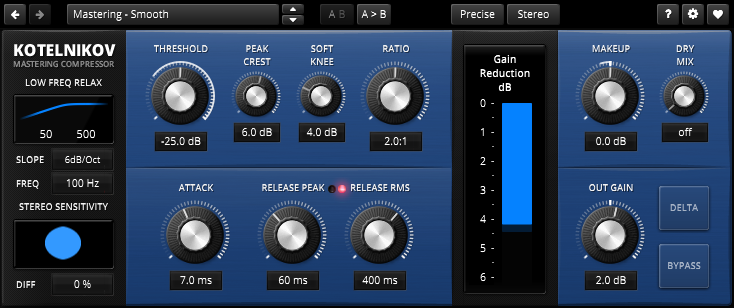
TDR Kotelnikov
A compressor for controlling peaks and overall dynamics while preserving the character of a mix. Separate peak and average-level behavior offers more control over how compression follows the music.
Developer focus: Tokyo Dawn emphasizes transparency and preserving tone, punch and image. Separate peak/RMS release, a sidechain high-pass filter and delta listening support careful adjustment; the developer explicitly presents it as digital rather than an analog emulation.
Try this: Try gentle compression on a stereo mix. Match the output loudness with bypass and listen for whether the groove stays clear.
Compatibility & free terms
Formats: VST2, VST3, AAX; AU on Mac. Windows 32-bit builds: VST2 and VST3.
Compatible plugin host required. Developer lists Windows 7+ or macOS 10.9+ and OpenGL support. Choose the current installer for your system.
Free terms: Free full standard edition. Kotelnikov GE is a separate paid edition and is not required.
Official listing checked October 1, 2026. Not a hands-on review.
Synths / Plugin
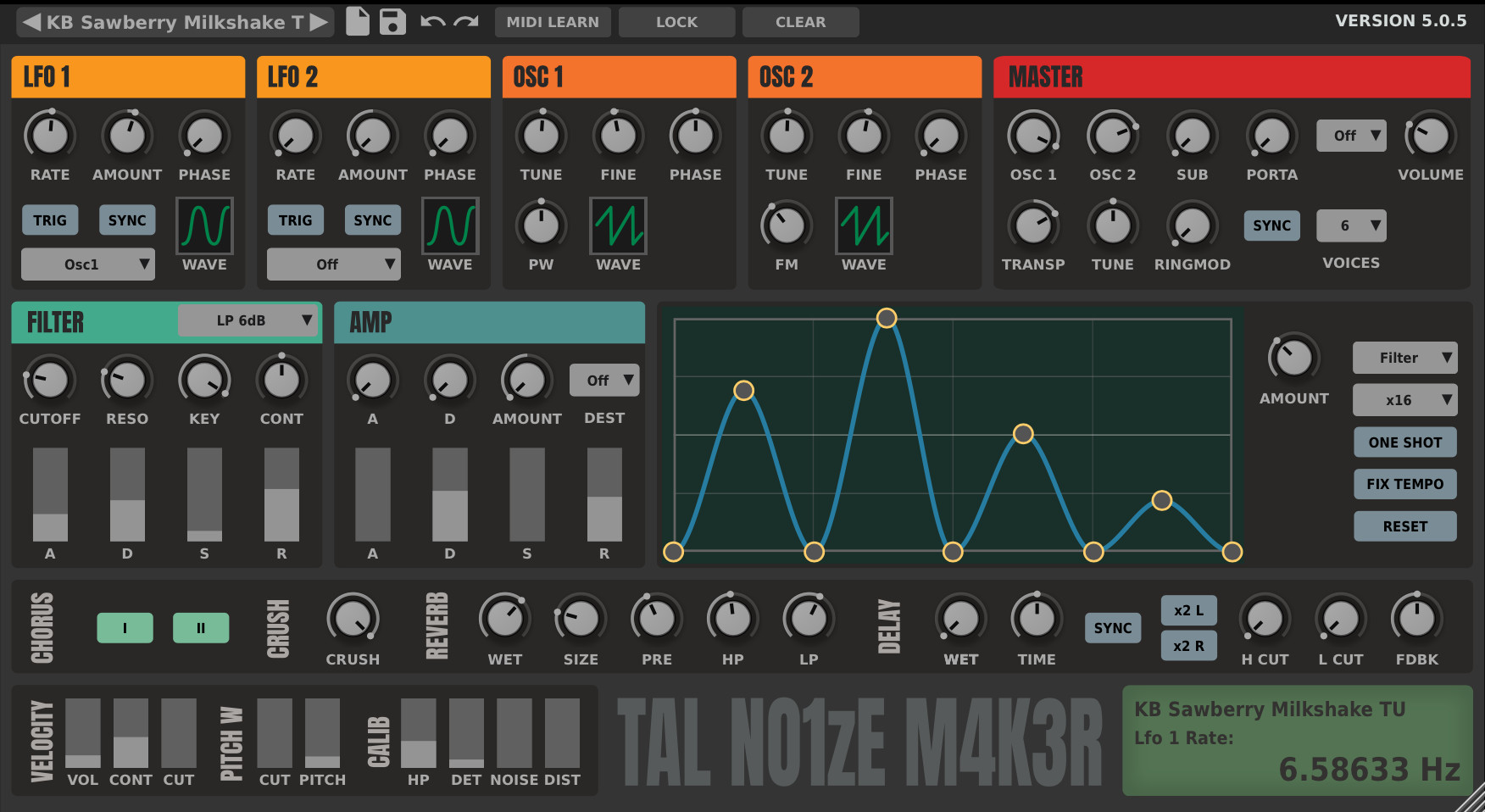
TAL-NoiseMaker
A virtual-analog synth for bass, leads and layered electronic sounds. Three oscillators, including a sub oscillator, feed a filter and built-in effects, with the main controls visible together.
Developer focus: TAL emphasizes a compact, approachable interface and efficient processing. Its presets and chorus, reverb, delay and bitcrusher make it possible to build a finished patch without starting with a separate effect chain.
Try this: Choose a bass preset and slowly open the filter. Listen for the point where extra brightness helps it cut through your drums.
Compatibility & free terms
Formats: VST, VST3, AU, AAX, CLAP; availability varies by platform
Windows 7+ 64-bit; macOS 10.9+ Intel or Apple Silicon; Linux 64-bit Ubuntu 18 or similar. AAX requires a compatible 64-bit Pro Tools host.
Free terms: Free full plugin. Optional donation is not required.
Official listing checked October 1, 2026. Not a hands-on review.
Modulation / Plugin
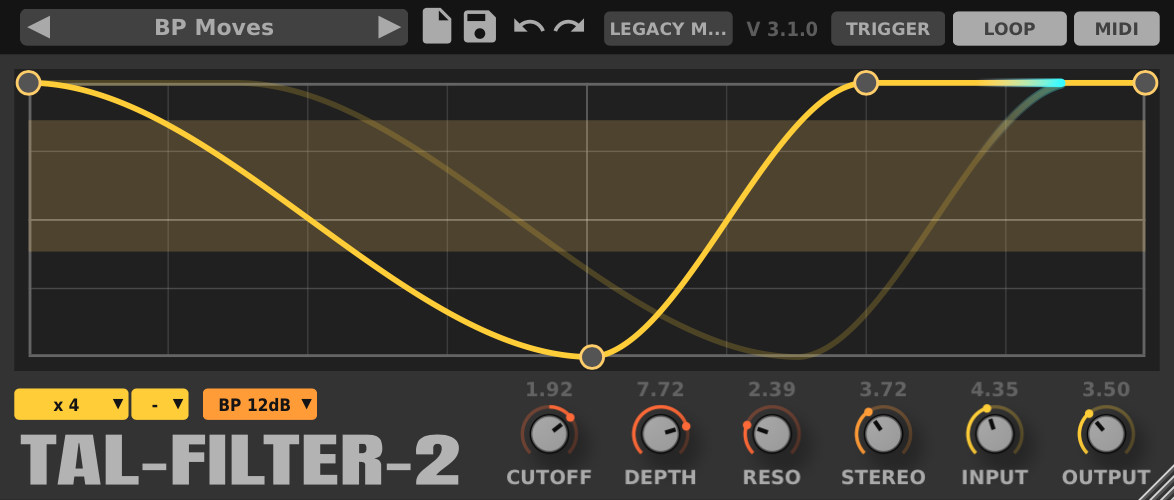
TAL-Filter-2
Create rhythmic filtering, volume gates or stereo panning by drawing a repeating pattern. Host synchronization keeps that pattern connected to the song’s tempo.
Developer focus: TAL specifically suggests trance gates, tremolo and moving percussion such as hi-hats. The same pattern-based approach can make a static sustained sound feel rhythmic without rewriting its notes.
Try this: Put a gentle volume pattern on a held pad. Leave some quieter steps so the drums still have room.
Compatibility & free terms
Formats: VST, VST3, AU, AAX, CLAP; availability varies by platform
Choose the current installer for your system and a compatible host. AU is for Mac; Linux packages are 64-bit. Check the developer’s Requirements tab for your selected build.
Free terms: Free full plugin.
Official listing checked October 1, 2026. Not a hands-on review.
Reverb / Plugin
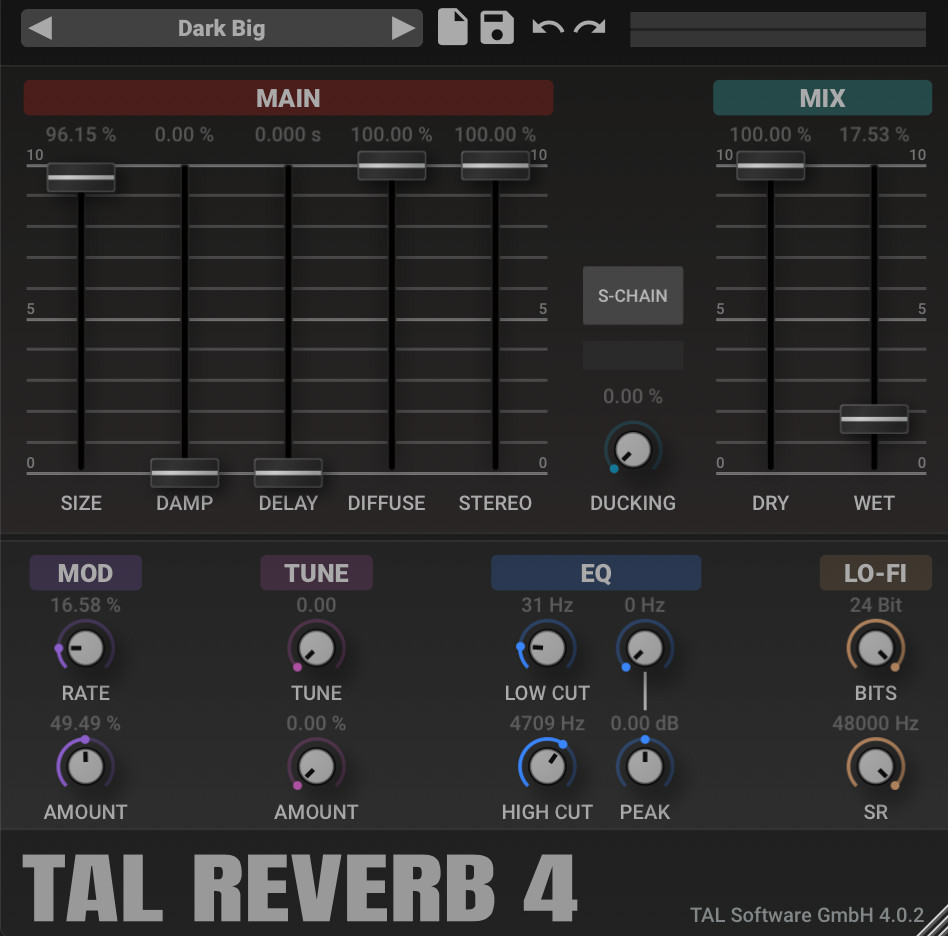
TAL-Reverb-4
A plate-style reverb for a diffuse, modulated tail with an older digital flavor. Its quick build-up can place a sound inside a sustained space without a long wait for the reverb to develop.
Developer focus: TAL positions the algorithm around a vintage 1980s character, emphasizing diffusion and modulation. It is an option for an audible reverb texture rather than an exact recreation of a measured room.
Try this: Try it behind a short vocal or synth phrase. Lower the wet blend until the words or notes stay easy to follow.
Compatibility & free terms
Formats: VST, VST3, AU, AAX, CLAP; availability varies by platform
Choose the current installer for your system and a compatible host. AU is for Mac; Linux packages are 64-bit. Check the developer’s Requirements tab for your selected build. The developer specifies stereo channels only.
Free terms: Free full plugin.
Official listing checked October 1, 2026. Not a hands-on review.
Modulation / Plugin
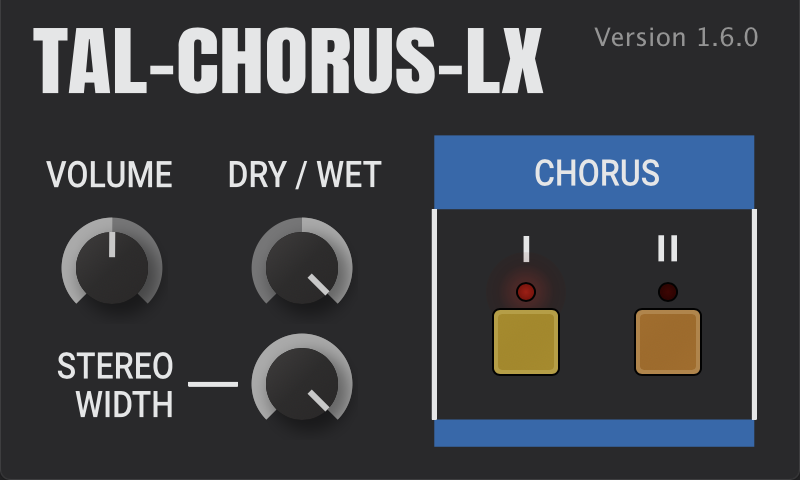
TAL-Chorus-LX
Add the width and gentle motion associated with a classic Juno-style chorus. It processes an existing sound, so it can work on your own synth, guitar or keyboard track.
Developer focus: TAL focuses on emulating the chorus of the Juno-60. This is the chorus effect on its own, not a complete synthesizer, making it a focused way to try that particular ensemble character.
Try this: Add it to a dry pad, compare the chorus modes, then check the track in mono before settling on the width.
Compatibility & free terms
Formats: VST, VST3, AU, AAX, CLAP; availability varies by platform
Choose the current installer for your system and a compatible host. AU is for Mac; Linux packages are 64-bit. Check the developer’s Requirements tab for your selected build.
Free terms: Free full plugin.
Official listing checked October 1, 2026. Not a hands-on review.
Vocal effects / Plugin
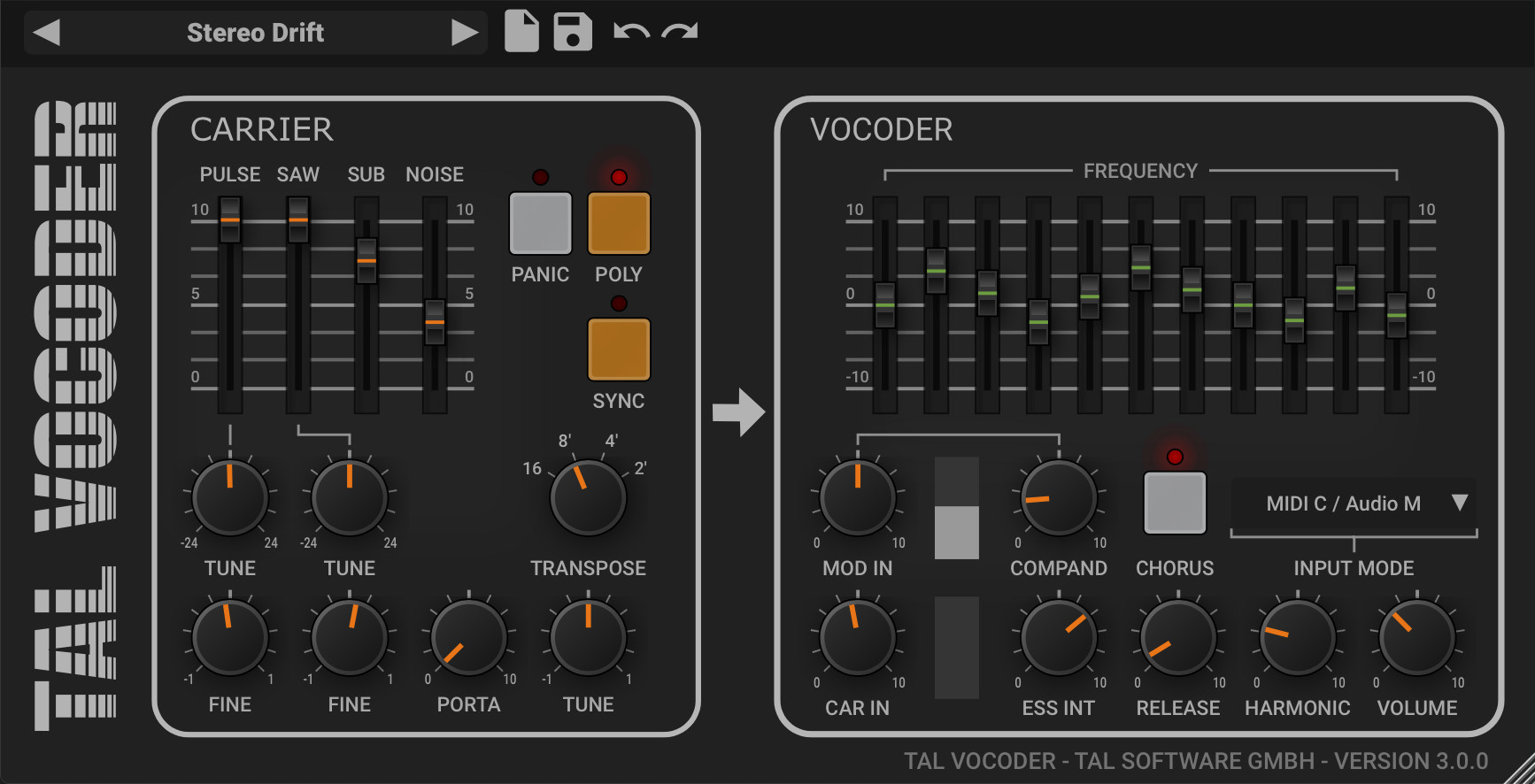
TAL-Vocoder
Turn speech or another rhythmic input into a pitched, robotic texture. The vocoder uses the input’s changing tone to shape a synthesizer-like carrier.
Developer focus: TAL emphasizes a vintage 1980s, eleven-band design. You can use its built-in oscillator carrier or route an external carrier through a supported host setup for a different musical tone.
Try this: Feed it a short spoken phrase and play a simple held chord. Use the host routing guide if you want your own synth as the carrier.
Compatibility & free terms
Formats: VST, VST3, AU, AAX, CLAP; availability varies by platform
Choose the current installer for your system and a compatible host. AU is for Mac; Linux packages are 64-bit. Check the developer’s Requirements tab for your selected build. Audio and MIDI/carrier routing are required; external carrier use depends on host sidechain support.
Free terms: Free full plugin. This is a vocoder, not automatic pitch correction.
Official listing checked October 1, 2026. Not a hands-on review.
Distortion / Plugin
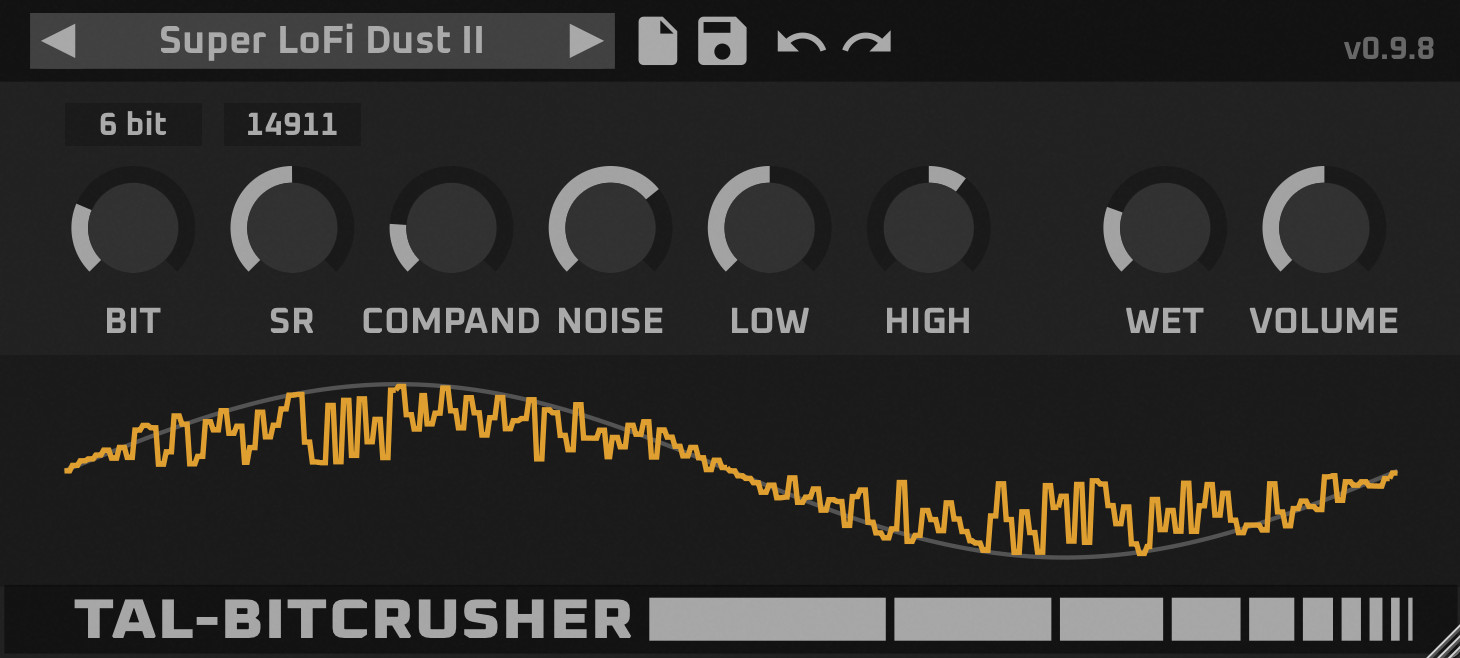
TAL-Bitcrusher
Reduce digital resolution for rougher drums, brittle textures or an intentionally older electronic sound. A companding option changes how quieter details enter the distortion.
Developer focus: TAL describes this as a reworked version of its original bitcrusher. The developer highlights companding for bringing up quieter detail and adding sparkle or noise, with a resizable interface and presets for exploration.
Try this: Blend a small amount into a percussion loop. Listen to quieter hits as well as the loudest ones before adding more.
Compatibility & free terms
Formats: VST, VST3, AU, AAX, CLAP; availability varies by platform
Choose the current installer for your system and a compatible host. AU is for Mac; Linux packages are 64-bit. Check the developer’s Requirements tab for your selected build. The developer states that presets from the earlier version are not compatible with this remake.
Free terms: Free full plugin.
Official listing checked October 1, 2026. Not a hands-on review.
Metering / Plugin
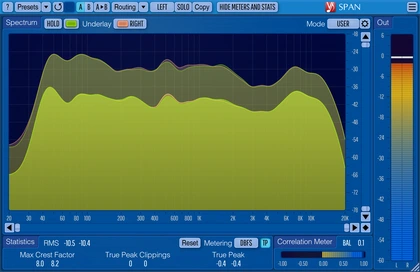
SPAN
See the frequency balance and level of a mix in a real-time spectrum analyzer. Loudness, true-peak and correlation information can help you investigate a problem you already hear.
Developer focus: Voxengo highlights configurable spectrum views, multichannel analysis and loudness metering. SPAN is useful for comparing tonal balance or locating low-frequency energy, but it is an analyzer and does not EQ the audio.
Try this: Watch a reference track and your mix at a similar listening level. Use the graph to investigate a difference rather than trying to copy every curve.
Compatibility & free terms
Formats: VST, VST3, AAX; AU on Mac
Compatible Windows or macOS plugin host required. Choose the current platform installer and check its system requirements on the official page.
Free terms: Free full analyzer. SPAN Plus is a separate paid product.
Official listing checked October 1, 2026. Not a hands-on review.
Metering / Plugin
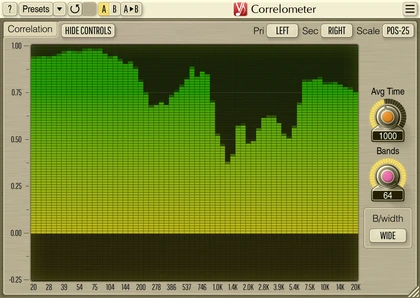
Correlometer
Inspect phase correlation across frequency bands to see where two signals agree or cancel. It can help narrow down a thin-sounding combination of microphones, a DI signal or low-end tracks.
Developer focus: Voxengo emphasizes frequency-specific checking rather than relying on one overall stereo reading. Suggested applications include kick and bass, microphone/DI combinations and multi-mic recordings; the meter identifies relationships rather than fixing them automatically.
Try this: Compare a guitar microphone and DI signal while listening in mono. Investigate the frequency bands that change when you adjust alignment.
Compatibility & free terms
Formats: VST, VST3, AAX; AU on Mac
Compatible Windows or macOS plugin host required. Choose the current platform installer and check its system requirements on the official page. Cross-track analysis needs host routing to the sidechain input.
Free terms: Free full plugin.
Official listing checked October 1, 2026. Not a hands-on review.
Saturation / Plugin
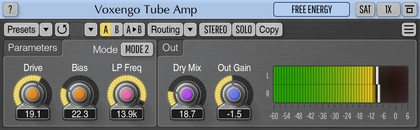
Tube Amp
Add tube-inspired harmonic color, from gentle thickening to more obvious fuzz. A low-pass filter can soften the top end after the drive changes the sound.
Developer focus: Voxengo models triode-style distortion and provides an additional output saturation stage. The developer’s range extends from mild warmth to aggressive distortion, making the amount of drive a central choice.
Try this: Try a little on a dry bass part, then match the output level and compare with bypass.
Compatibility & free terms
Formats: VST, VST3, AAX; AU on Mac
Compatible Windows or macOS plugin host required. Choose the current platform installer and check its system requirements on the official page.
Free terms: Free full plugin. Not a complete guitar amp and speaker simulator.
Official listing checked October 1, 2026. Not a hands-on review.
Stereo & alignment / Plugin
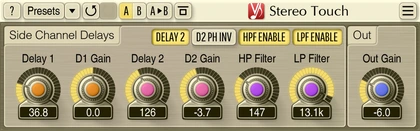
Stereo Touch
Create a wider stereo impression from a mono recording. It can give a single guitar, pad or vocal a broader place in the mix without another recorded performance.
Developer focus: Voxengo uses a mid/side approach and recommends material without especially sharp transients. It is an artificial widening effect rather than real double-tracking, so listen to the mono result as well as the stereo spread.
Try this: Try a restrained setting on a sustained mono pad. Switch to mono and keep the setting only if the important notes remain clear.
Compatibility & free terms
Formats: VST, VST3, AAX; AU on Mac
Compatible Windows or macOS plugin host required. Choose the current platform installer and check its system requirements on the official page.
Free terms: Free full plugin.
Official listing checked October 1, 2026. Not a hands-on review.
Stereo & alignment / Plugin
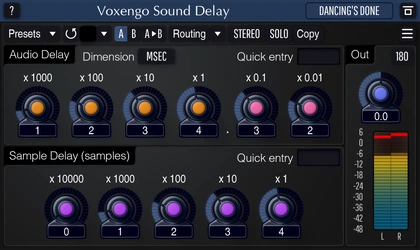
Sound Delay
Delay a signal by precise samples or milliseconds to adjust its timing. It is useful for investigating alignment between related recordings or for deliberate channel timing differences.
Developer focus: Voxengo focuses on technical precision, including independent mid/side delay and a range up to twelve seconds. There is no feedback or modulation, so this serves a different job from a creative repeating echo.
Try this: On duplicated audio, add a tiny delay and listen to how the combined tone changes. Use your ears and mono playback when aligning real recordings.
Compatibility & free terms
Formats: VST, VST3, AAX; AU on Mac
Compatible Windows or macOS plugin host required. Choose the current platform installer and check its system requirements on the official page.
Free terms: Free full plugin.
Official listing checked October 1, 2026. Not a hands-on review.

Reverb / Plugin
OldSkoolVerb
A conventional algorithmic reverb with plate, room and hall-style spaces. It can put vocals, piano or pads in a coherent background without a heavily experimental tail.
Developer focus: Voxengo says its design works best on non-percussive, softer-attack sounds. Percussion can still use a more limited plate-like range, but the developer particularly points readers toward vocals, piano and pads.
Try this: Place a small room behind a piano part. Shorten the tail if it starts covering the next phrase.
Compatibility & free terms
Formats: VST, VST3, AAX; AU on Mac
Compatible Windows or macOS plugin host required. Choose the current platform installer and check its system requirements on the official page.
Free terms: Free full plugin. OldSkoolVerb Plus is a separate paid product.
Official listing checked October 1, 2026. Not a hands-on review.
Synths / Plugin
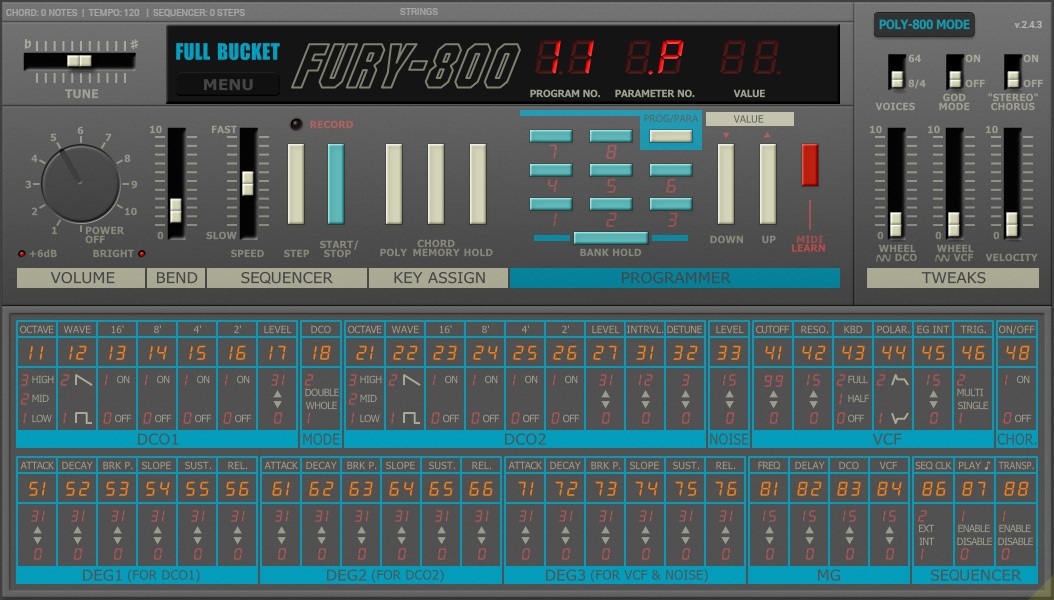
Fury-800
A Poly-800-inspired synth for 1980s-style chords, bass and sequenced phrases. Its digital oscillators and filter behavior provide a different starting point from a modern wavetable instrument.
Developer focus: Full Bucket models the 1983 instrument and emphasizes efficient performance. You can retain its paraphonic filter behavior or use God Mode for independent polyphonic filtering, with chord memory, a sequencer and chorus also available.
Try this: Play the same short chord progression in the normal and God Mode settings. Listen to how the filter reacts as notes overlap.
Compatibility & free terms
Formats: VST2, VST3, CLAP, AAX; AU on Mac
Compatible Windows or macOS host required. Mac downloads include Intel/Apple Silicon Universal Binary builds. Check the selected build; legacy platform packages are separate.
Free terms: Free full plugin. Donations are optional.
Official listing checked October 1, 2026. Not a hands-on review.
Synths / Plugin
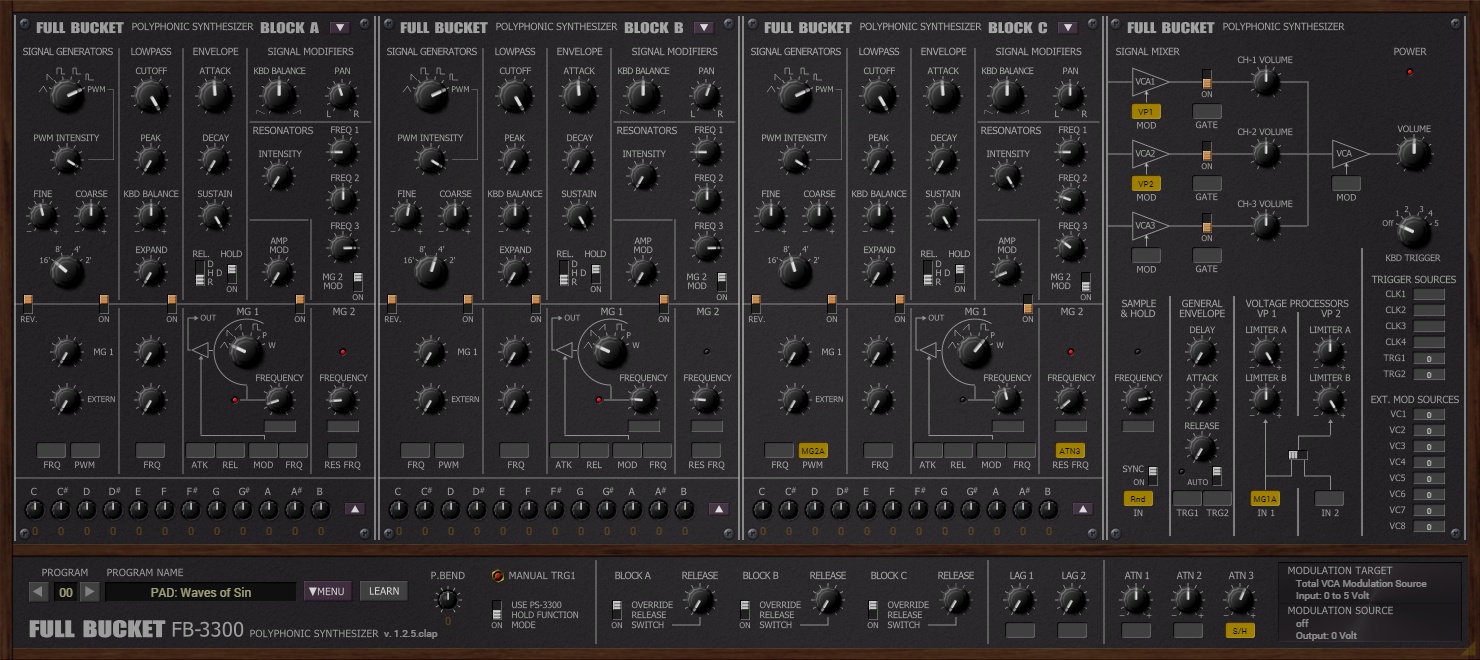
FB-3300
A software simulation of the 1977 PS-3300, built around three polyphonic synth blocks. Its semi-modular structure and resonators invite layered, animated textures.
Developer focus: Full Bucket focuses on the original instrument’s structure, including resonators and two modulation generators per bank, while adding practical software features such as microtuning. The developer also emphasizes efficient native processing.
Try this: Start with one bank and a sustained note. Add a second bank only after you can hear what its filter or resonator contributes.
Compatibility & free terms
Formats: VST2, VST3, CLAP, AAX; AU on Mac
Compatible Windows or macOS host required. Mac downloads include Intel/Apple Silicon Universal Binary builds. Check the selected build; legacy platform packages are separate.
Free terms: Free full plugin. Donations are optional.
Official listing checked October 1, 2026. Not a hands-on review.
Synths / Plugin
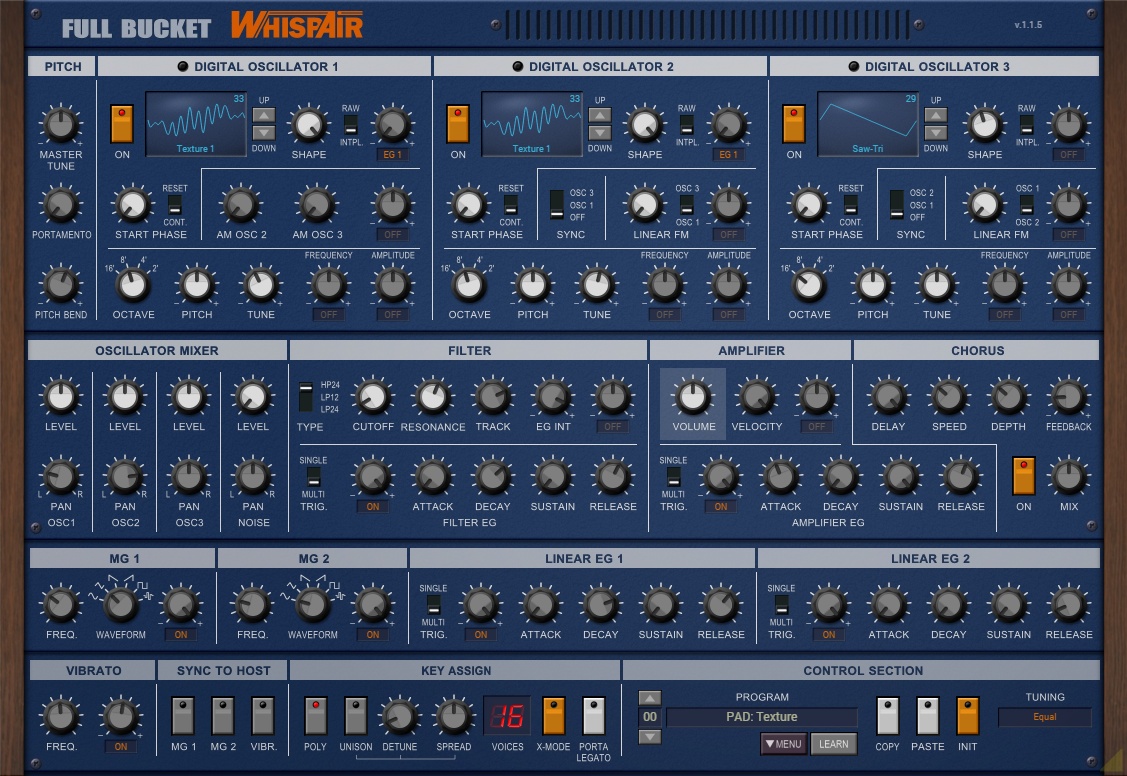
WhispAir
A three-oscillator wavetable synth for changing timbre over time. Filters, envelopes, modulation and unison are presented together so the signal-shaping controls are easy to locate.
Developer focus: Full Bucket emphasizes a single-page interface, versatile wavetable oscillators and efficient performance. Stereo filtering, chorus, microtuning and MIDI learn extend it from a quick preset instrument into a more programmable synth.
Try this: Hold a simple note and move through a wavetable slowly. Add a gentle modulation movement once you find a useful range.
Compatibility & free terms
Formats: VST2, VST3, CLAP, AAX; AU on Mac
Compatible Windows or macOS host required. Mac downloads include Intel/Apple Silicon Universal Binary builds. Check the selected build; legacy platform packages are separate.
Free terms: Free full plugin. Donations are optional.
Official listing checked October 1, 2026. Not a hands-on review.
Drums / Plugin
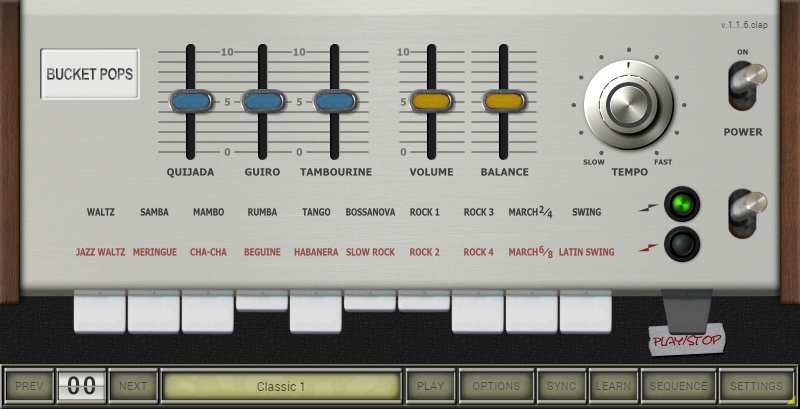
Bucket Pops
A Mini Pops-7-inspired drum machine for vintage electronic rhythm patterns. Fifteen synthesized percussion sounds and a built-in sequencer provide a focused alternative to a modern sample kit.
Developer focus: Full Bucket models the 1966 machine rather than replaying recorded samples. The developer highlights its original rhythm patterns and the ability to adjust individual drum parameters, with a character associated with early electronic music.
Try this: Choose a rhythm, lower the busiest percussion voice, then change one drum’s tone to make the pattern fit your bass line.
Compatibility & free terms
Formats: VST2, VST3, CLAP, AAX; AU on Mac
Compatible Windows or macOS host required. Mac downloads include Intel/Apple Silicon Universal Binary builds. Check the selected build; legacy platform packages are separate. Instrument requires MIDI/host playback routing.
Free terms: Free full plugin. Donations are optional.
Official listing checked October 1, 2026. Not a hands-on review.

Synths / Plugin
Vital Basic
A visual wavetable synth for animated basses, leads and pads. Spectral warping changes the harmonics of a wavetable, while visible modulation makes evolving sounds easier to follow.
Developer focus: Vital emphasizes spectral shaping, visual feedback and turning your own samples into wavetables. The Basic tier contains the full synthesis engine with a smaller included content library, so paid tiers are not needed to access the synth’s main features.
Try this: Choose a preset and drag a slow modulation onto a timbre control. Keep the movement modest so you can hear what it changes.
Compatibility & free terms
Formats: Check the current platform download for host formats
Windows 10+, macOS 10.15+ or Ubuntu 18.04+. 64-bit system and OpenGL 3.0-capable graphics required. Check the selected platform installer.
Free terms: Basic is free with the full synth, 75 presets and 25 wavetables. Paid content tiers are optional. Follow the developer’s account/download steps; the free text-to-wavetable web service has a daily quota.
Official listing checked October 1, 2026. Not a hands-on review.

Synths / Plugin
Dexed
Explore DX7-style FM synthesis for bell-like, metallic and electric-keyboard tones. The interface exposes the operators and their envelopes together, with meters showing which operators are active.
Developer focus: The Dexed project emphasizes modeling DX7 behavior and working with DX7/TX7 patch data. It can load and save SysEx programs and act as a hardware patch librarian, but you do not need a physical DX7 to play the software synth.
Try this: Choose an electric-piano preset and adjust one operator’s level. Listen for a change in brightness or attack before moving to another.
Compatibility & free terms
Formats: VST, AU, LV2 as listed by the developer; check the platform build
Compatible Windows, macOS or Linux build and host required. See the official release and installation documentation for your system.
Free terms: Free open-source software, GPL v3.
Official listing checked October 1, 2026. Not a hands-on review.

Synths / Plugin
Odin 2
A polyphonic synth for basses, leads and sound effects, combining analog-style and more unusual oscillator choices. Custom-drawn waveforms and a modulation system provide room to develop your own patches.
Developer focus: TheWaveWarden emphasizes a wide sound-design range, analog-inspired filters including Moog and Korg-35 types, and five built-in effects. Its 24-voice engine is designed to move between familiar synth sounds and more experimental textures.
Try this: Start with a simple lead, then compare two oscillator types while keeping the notes and filter setting the same.
Compatibility & free terms
Formats: Windows: VST3, CLAP; Mac: VST3, AU, CLAP; Linux: VST3, LV2, CLAP
Compatible host required. Download the package matching Windows, macOS or Linux and check its installation instructions.
Free terms: Free open-source full synth.
Official listing checked October 1, 2026. Not a hands-on review.
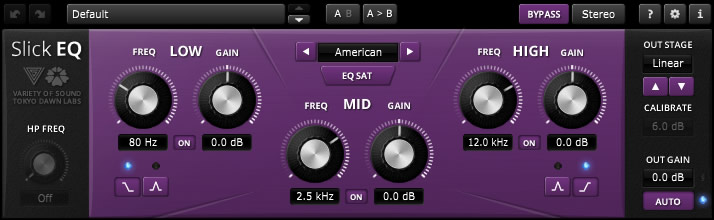
EQ & dynamics / Plugin
TDR VOS SlickEQ
A musical three-band EQ with a high-pass filter for broad tonal shaping. Four EQ models and optional output color let you explore both frequency balance and subtle saturation.
Developer focus: Tokyo Dawn and Variety of Sound emphasize ease of use for mixing and mastering. Automatic gain compensation supports fair comparisons, while optional nonlinearity is intended as gentle texture rather than obvious distortion.
Try this: Make one broad tonal adjustment on a vocal or instrument bus. Use the gain compensation and bypass to decide whether the change helps.
Compatibility & free terms
Formats: VST2, VST3, AAX; AU on Mac
Windows 7+; macOS 10.9+ with OpenGL-capable graphics. Select a compatible plugin format and host.
Free terms: Free full base edition. SlickEQ GE is a separate paid edition.
Official listing checked October 1, 2026. Not a hands-on review.
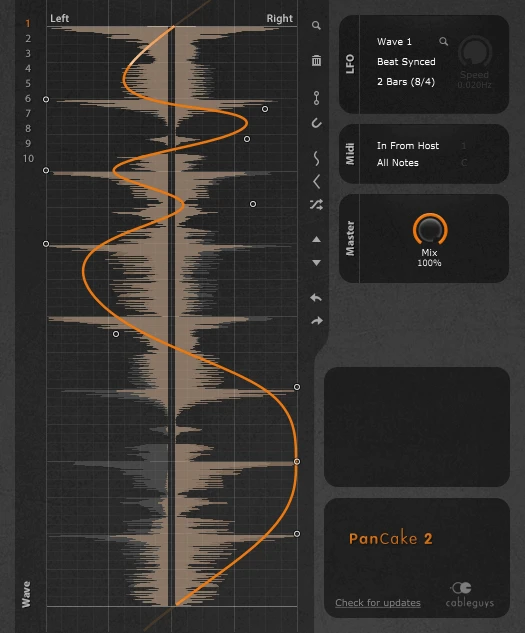
Modulation / Plugin
PanCake 2
Draw a repeating pan pattern to move a sound between the left and right speakers. Tempo sync, free-running movement or MIDI triggering offer different ways to connect motion to a musical part.
Developer focus: Cableguys emphasizes editable pan curves and visual feedback for shaping stereo movement. It can animate percussion, synths or recorded instruments, with a mix control for keeping the effect restrained.
Try this: Draw a slow, smooth left-to-right movement on a pad. Reduce the mix if the motion distracts from the main melody.
Compatibility & free terms
Formats: VST2, VST3, AAX; AU on Mac
Windows 7/8/10/11 64-bit or macOS 10.9+ Intel/Apple Silicon. Compatible plugin host required.
Free terms: Free full plugin. Follow the developer’s registration/download steps.
Official listing checked October 1, 2026. Not a hands-on review.

Modulation / Plugin
Multiply 2
A chorus for thickening and widening a sound with several virtual voices. Each voice can vary in pitch and level, while EQ and pre-delay shape the ensemble around the original signal.
Developer focus: Acon emphasizes phase-randomized processing designed to reduce metallic comb-filter coloration. Six additional voices, a five-band EQ and modulated pre-delay are intended to create a more natural ensemble impression.
Try this: Add a modest chorus to a clean guitar or synth part. Compare it in mono and adjust the blend before adding more voices.
Compatibility & free terms
Formats: 64-bit VST3, AAX; AU on Mac
Current Multiply 2: Windows 11 with Intel Core i5/AMD Ryzen 5 or better, or macOS 12+ Intel/Apple Silicon. 4 GB RAM and 1 GB storage. Compatible 64-bit host required; AAX needs Pro Tools 2021+.
Free terms: Free full effect.
Official listing checked October 1, 2026. Not a hands-on review.
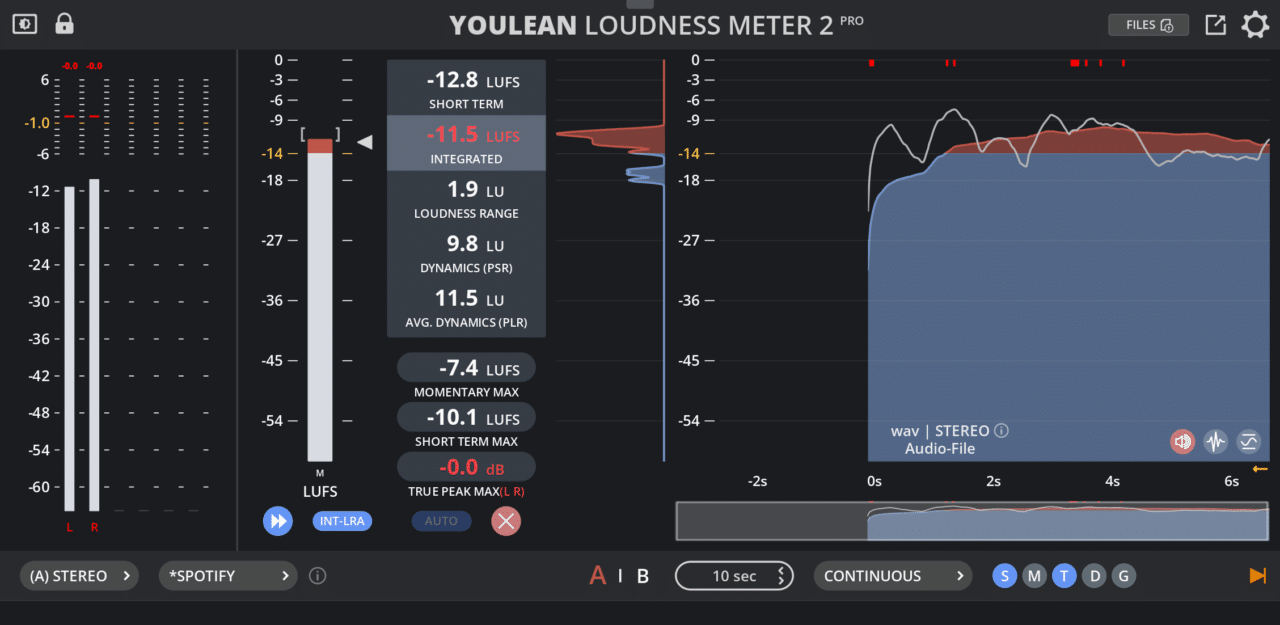
Metering / Plugin
Youlean Loudness Meter Free
Measure loudness and true peaks while a mix plays. Integrated loudness, loudness range and the history view help you understand changes across a song rather than judging only its loudest moment.
Developer focus: Youlean emphasizes loudness measurement for delivery and consistency. The free edition includes core measurements and a resizable view; streaming presets, exports, A/B comparisons and several advanced features belong to Pro.
Try this: Play a complete song to inspect its integrated loudness and true peaks. Make any level changes in your DAW, because the meter itself does not alter the audio.
Compatibility & free terms
Formats: VST2, VST3, AU, AAX; standalone application
Windows or macOS. Choose the current installer for a compatible host or the standalone application. Check the developer’s download requirements before installation.
Free terms: Free edition is $0 and does not expire. Pro is a separate paid upgrade.
Official listing checked October 1, 2026. Not a hands-on review.
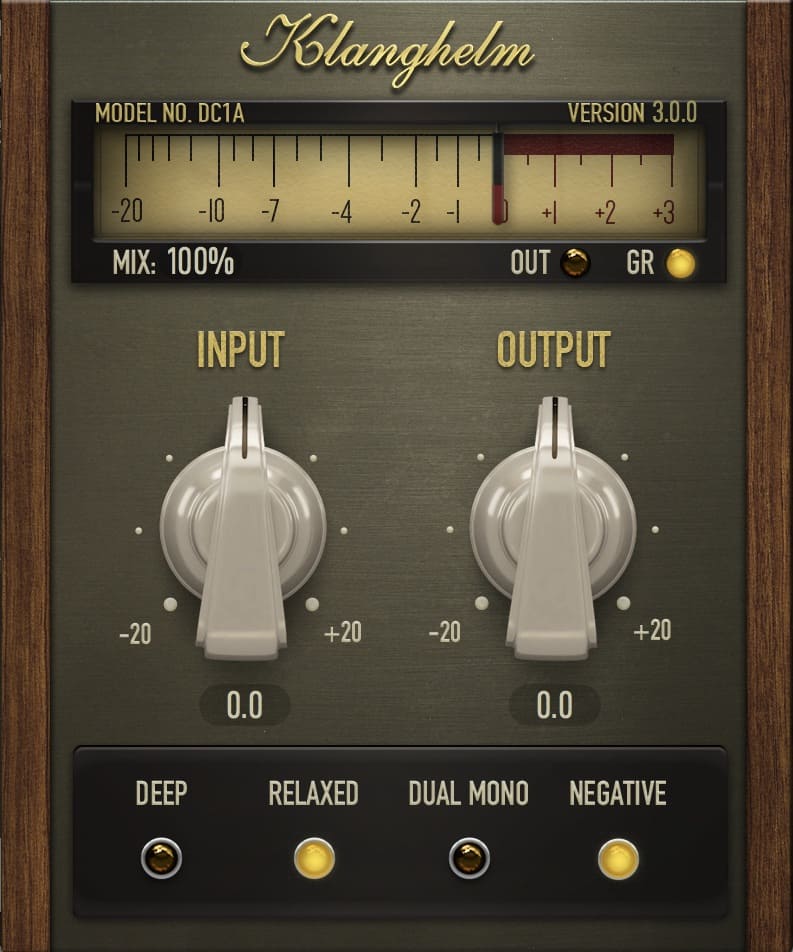
EQ & dynamics / Plugin
DC1A
A simple compressor for smoothing a vocal, adding punch to drums or making a loop pump. Input and output controls keep the main adjustment quick, with extra modes for different responses.
Developer focus: Klanghelm describes DC1A as ranging from gentle leveling to heavy pumping and crunchy saturation. Its Deep mode reduces pumping triggered by strong bass, while Relaxed and Dual Mono offer different compression behavior. The developer presents it as a quick way to add character with few controls.
Try this: Add it to a drum loop. Increase the input gradually, match the output loudness, and compare with bypass to hear whether the punch helps.
Compatibility & free terms
Formats: 64-bit VST2, VST3, AAX; AU on Mac
Windows 10+ or macOS 10.13+, with a compatible 64-bit plugin host. Pro Tools 11+ required for AAX. Native Intel and Apple Silicon support on Mac. Current download: DC1A 3.5.0. This is not a new-release announcement.
Free terms: Free full plugin. No paid DC8C purchase required. Windows and macOS installers are linked directly on the official product page.
Official listing checked October 2, 2026. Not a hands-on review.

Delay / Plugin
Deelay
An echo effect that can turn a short sound into a diffuse reverb or a distorted trail. Five delay modes and A/B settings let you explore texture while keeping the original phrase intact.
Developer focus: Sixth Sample emphasizes a simple interface with diffusion, distortion and modulation. The developer describes diffusion as spanning small chambers to large cinematic swells, and distortion as ranging from subtle saturation to aggressive waveshaping. Its 100 presets provide starting points for exploring those combinations.
Try this: Try it on one short percussion hit. Compare a clear repeat with a more diffuse preset, keeping the wet level low enough that the next hit stays clear.
Compatibility & free terms
Formats: 64-bit VST3, AAX; AU on Mac
Windows 10+ with a compatible 64-bit VST3 or AAX host; macOS 10.13+ with an AU, VST3 or AAX host. The official changelog lists version 1.3.2 and Moonbase licensing integration. Pre-1.0.3 versions are incompatible with later ones, and version 1.3.0 changed automation parameter names. Check existing projects before upgrading.
Free terms: Free full plugin. Optional donation is separate. The official free-download form requests your full name and email, sends download instructions by email, and includes agreement to product-update and offer emails. Deelay Platinum Edition is a separate paid product.
Official listing checked October 3, 2026. Not a hands-on review.
Stereo & alignment / Plugin
MSED
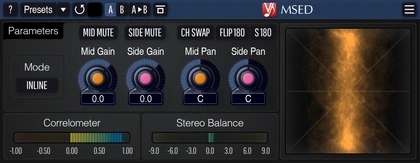
Adjust the balance between the centre and the wide parts of a stereo recording. MSED can also split and rebuild mid/side audio, making it useful for checking a wide pad or a stereo mix without changing the notes.
Developer focus: Voxengo emphasizes a quick inline workflow: centre and side levels, panning and mute controls work in one instance. The developer highlights zero processing latency, correlation and balance meters, and a vector scope for seeing the stereo image. It is a processor as well as a meter, so changing these controls changes the audio.
Try this: On a wide synth pad, lower Side Gain a little and compare with bypass at a similar loudness. Keep the setting only if the pad fits around your central lead.
Compatibility & free terms
Formats: VST2, VST3, AAX on Windows; AU, VST3, AAX on Mac
Developer lists Windows XP or later and macOS 10.12+, a 2.5 GHz dual-core processor and 4 GB RAM. A compatible plugin host is required. Mac builds include native Apple Silicon support. Check the current installer and your host support before installing. Current download: 3.13; the point-release date is not established.
Free terms: Free full plugin. Official Windows and Mac installers are linked directly on the product page. No paid Voxengo product is required.
Official listing checked October 4, 2026. Not a hands-on review.
Gate / Plugin
ReaGate
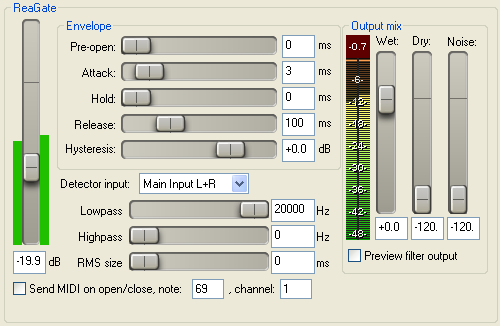
Quiet the gaps between vocal phrases or drum hits by turning the signal down when it falls below a chosen level. ReaGate is useful for managing pauses in a noisy recording, but it does not remove background noise while the wanted sound is playing. A setting that closes too quickly can cut off word endings or drum tails.
Developer focus: Cockos describes ReaGate as a highly configurable gate. The developer highlights sidechain input and filters, pre-open lookahead, hold and hysteresis controls, plus MIDI events when the gate opens or closes. These let the gate respond to a separate trigger, open ahead of a hit or remain open through brief level dips. Cockos also emphasizes low CPU and RAM use, metering and no copy protection across the ReaPlugs suite.
Try this: Play a vocal phrase with a pause after it. Raise the threshold only until the pause gets quieter, then check that soft syllables and the end of the phrase still come through.
Compatibility & free terms
Formats: VST effect; separate 32-bit and 64-bit ReaPlugs installers
Windows VST host required. Download and install the bundled ReaPlugs suite, then load ReaGate. The official page lists older Windows systems and WINE; check your current host and installer compatibility before installing. This download is not the native macOS/Linux REAPER effect and no AU, VST3 or AAX build is listed here.
Free terms: Full free effect in the ReaPlugs VST FX Suite. The developer says it is freely usable with no copy protection. A paid REAPER license is not required to use ReaPlugs in another compatible host.
Official listing checked October 5, 2026. Not a hands-on review.
Samplers / Plugin
Decent Sampler
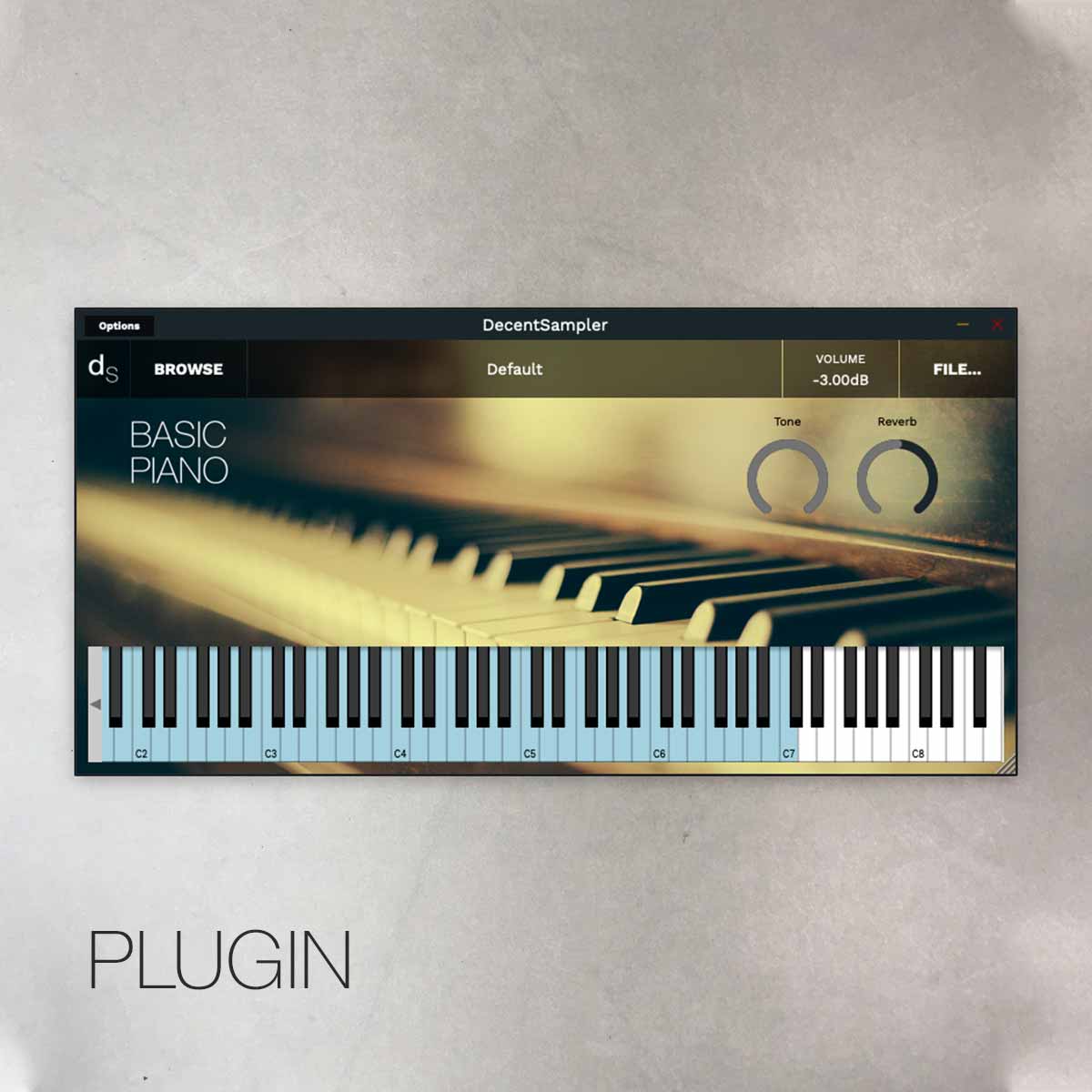
Play sampled instruments from Decent Sampler libraries, from acoustic recordings to unusual homemade sounds. It is a sample player, so the instrument library determines the starting sound; check whether each library is free or paid.
Developer focus: Decent Samples emphasizes a free player for .dspreset and .dslibrary instruments, with tools for creators to build their own libraries. Version 1.36.1 improves SFZ imports and fixes long-sample stutters under heavy load, particularly during offline exports. The developer notes that some oscillator-based instruments may become louder after this update.
Try this: Load a free instrument library from its official creator. Play a short phrase with a gap after it, then listen to how the recorded sound fades before adding effects.
Compatibility & free terms
Formats: VST, VST3, AAX and standalone on Windows; VST, VST3, AU, AAX and standalone on Mac; VST, VST3 and standalone on Linux
Windows 10+ with 32-bit and 64-bit builds. Mac supports Intel and Apple Silicon, with separate installers for macOS 10.15+ and 10.11-10.14. Linux offers x86-64 and ARM64 static or dynamic builds; check the selected package and host requirements. Use a compatible plugin host or the standalone player. Load a .dspreset or .dslibrary instrument library; the player does not make every third-party library free.
Free terms: Full free desktop sample player. The main product-page download form requests an email address; newsletter signup is optional. Optional Patreon support is separate. Sample libraries have their own free or paid terms. Mobile app terms are separate.
Official listing checked October 7, 2026. Not a hands-on review.

Metering / Plugin
TDR Prism
Compare the frequency shapes of several tracks to investigate sounds that compete in a mix. Prism is an analyzer, so it helps you inspect the balance rather than changing the audio for you.
Developer focus: Tokyo Dawn Labs emphasizes a model of human hearing, including an auditory masking display. The developer also highlights comparing audio files, sidechain inputs and linked Prism instances rather than viewing only one track.
Try this: Compare a bass track and a kick with two linked instances. Listen to the mix while checking where their strongest frequencies overlap.
Compatibility & free terms
Formats: Windows: 32-bit VST2/VST3, 64-bit VST2/VST3/AAX; macOS: 64-bit VST2/VST3/AU/AAX; Linux: 64-bit VST2/VST3
Compatible plugin host and OpenGL support required. Windows Vista+; macOS 10.9+; Linux x86-64 with GLIBC 2.14+. Check your host and current installer before installing.
Free terms: Free full plugin with direct downloads. TDR Collector is optional; no payment or donation step is shown for these downloads.
Official listing checked October 8, 2026. Not a hands-on review.
Saturation / Plugin
IVGI
Add grit to a clean synth, bass or drum loop without changing the notes. IVGI can move from gentle saturation to heavier distortion, so it is useful when a part feels too polite in the mix.
Developer focus: Klanghelm highlights a response that changes with the incoming signal and drive. The Response control changes how strongly different frequencies saturate, while Asym Mix changes the symmetry of the processing. These are developer-described features, not our listening findings.
Try this: Loop a clean synth bass with the drums. Raise Drive until its texture becomes obvious, then lower Output to match the bypassed loudness. Compare in the full mix. If the low end becomes less clear, reduce Drive and compare a different Response setting before adding EQ.
Compatibility & free terms
Formats: 64-bit VST2, VST3, AAX; AU on Mac
Windows 10+ or macOS 10.13+, with a compatible 64-bit plugin host. Pro Tools 11+ required for AAX. Native Intel and Apple Silicon support on Mac. Current download: IVGI 2.5.0. This is a discovery, not a new-release announcement.
Free terms: Free full plugin. No SDRR purchase required. Windows and macOS installers are linked directly on the official product page.
Official listing checked October 10, 2026. Not a hands-on review.
No matches. Try a broader job or choose all systems.
Keep the creators close.
Use official downloads and check the current installer requirements before installing. If a developer offers a donation or paid product you value, supporting them helps keep independent tools going. Payment is not required for the free tools listed here.
We check stated availability and requirements rather than claiming to test every plugin. Versions, compatibility and download steps can change.
About Audio-Guru · Paid synths: choose by your workflow · Gear reading room